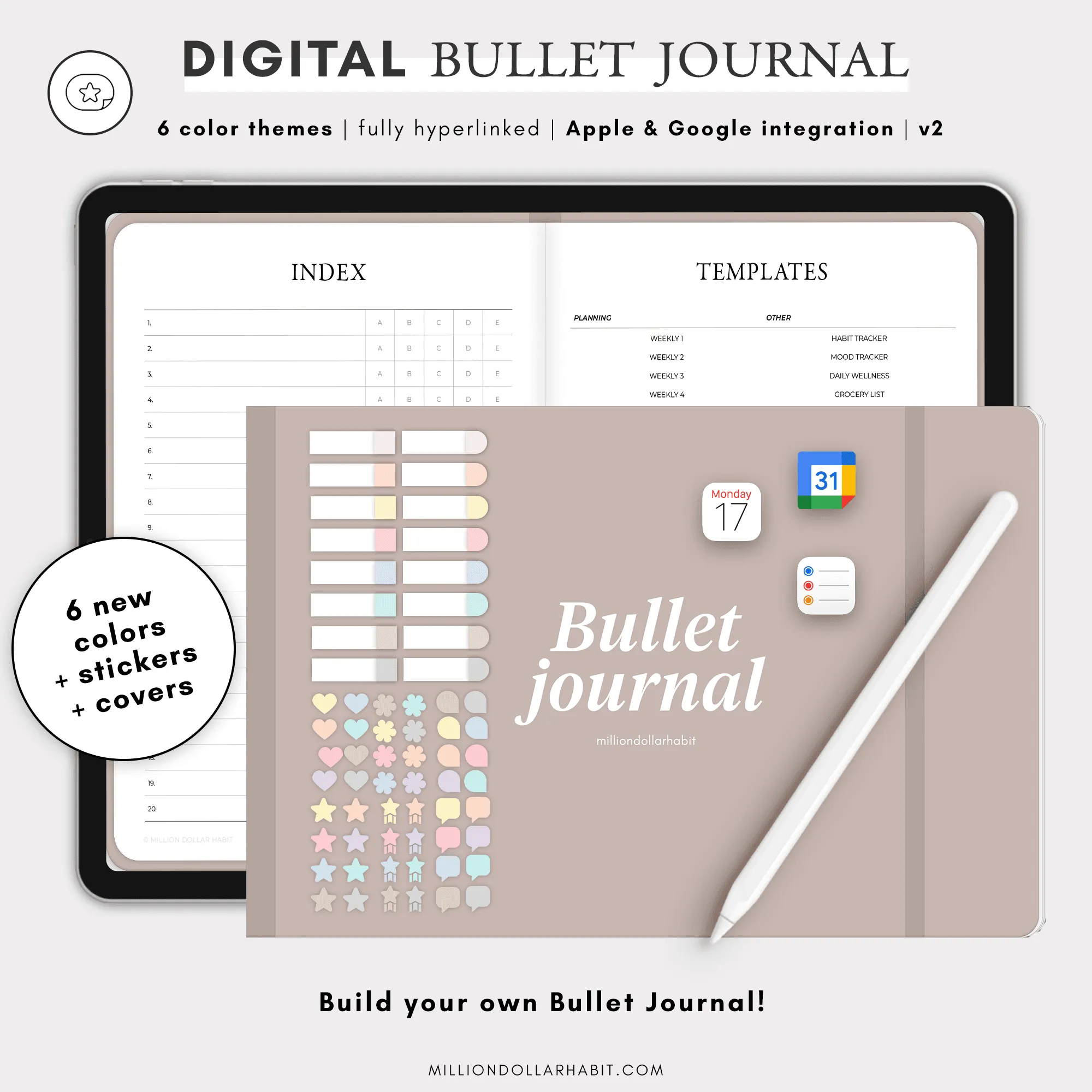
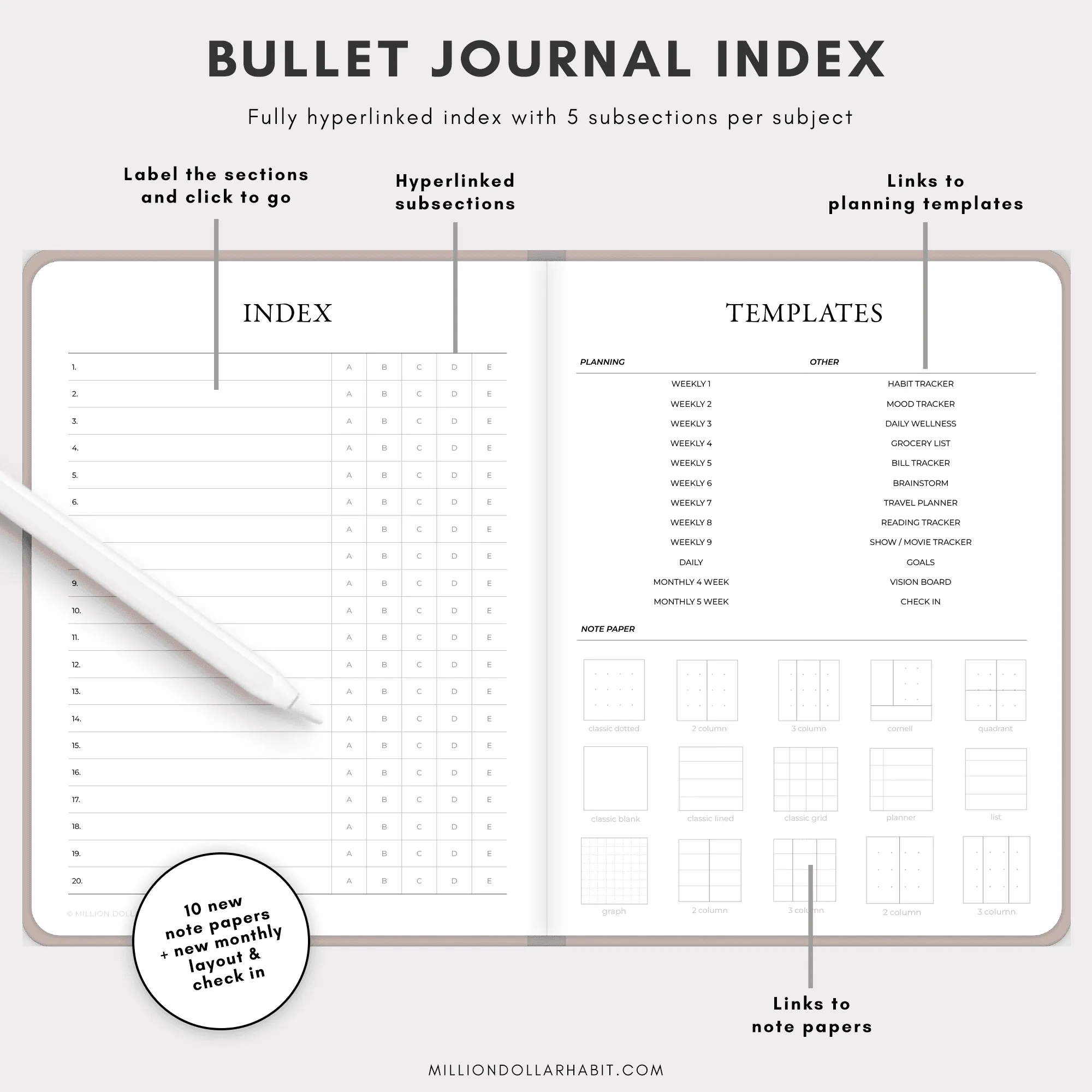
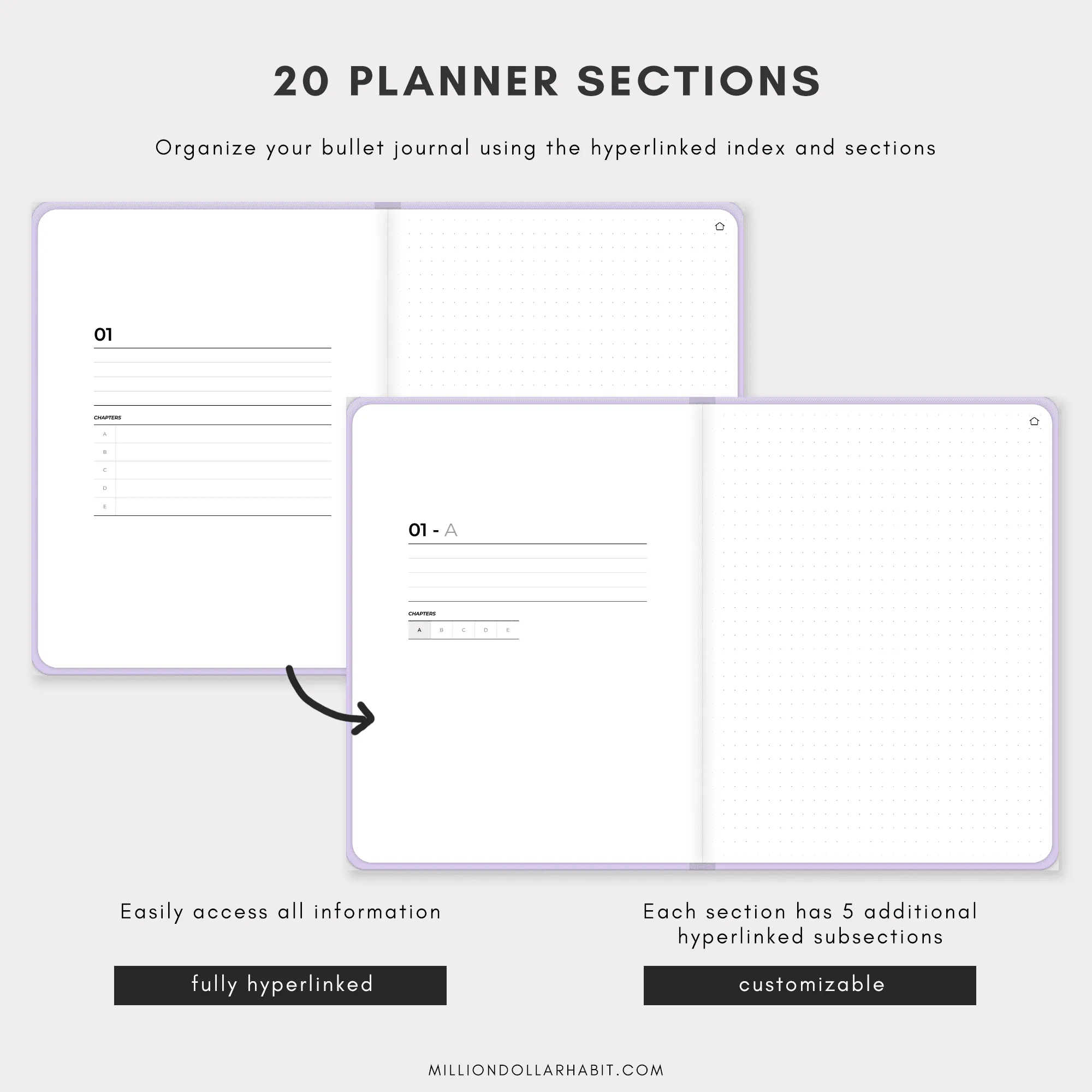
Hyperlinked Index - Effortlessly navigate your planner with our hyperlinked index featuring 20 sections and 5 subsections each. Quickly jump to your desired section and stay organized with ease.
New
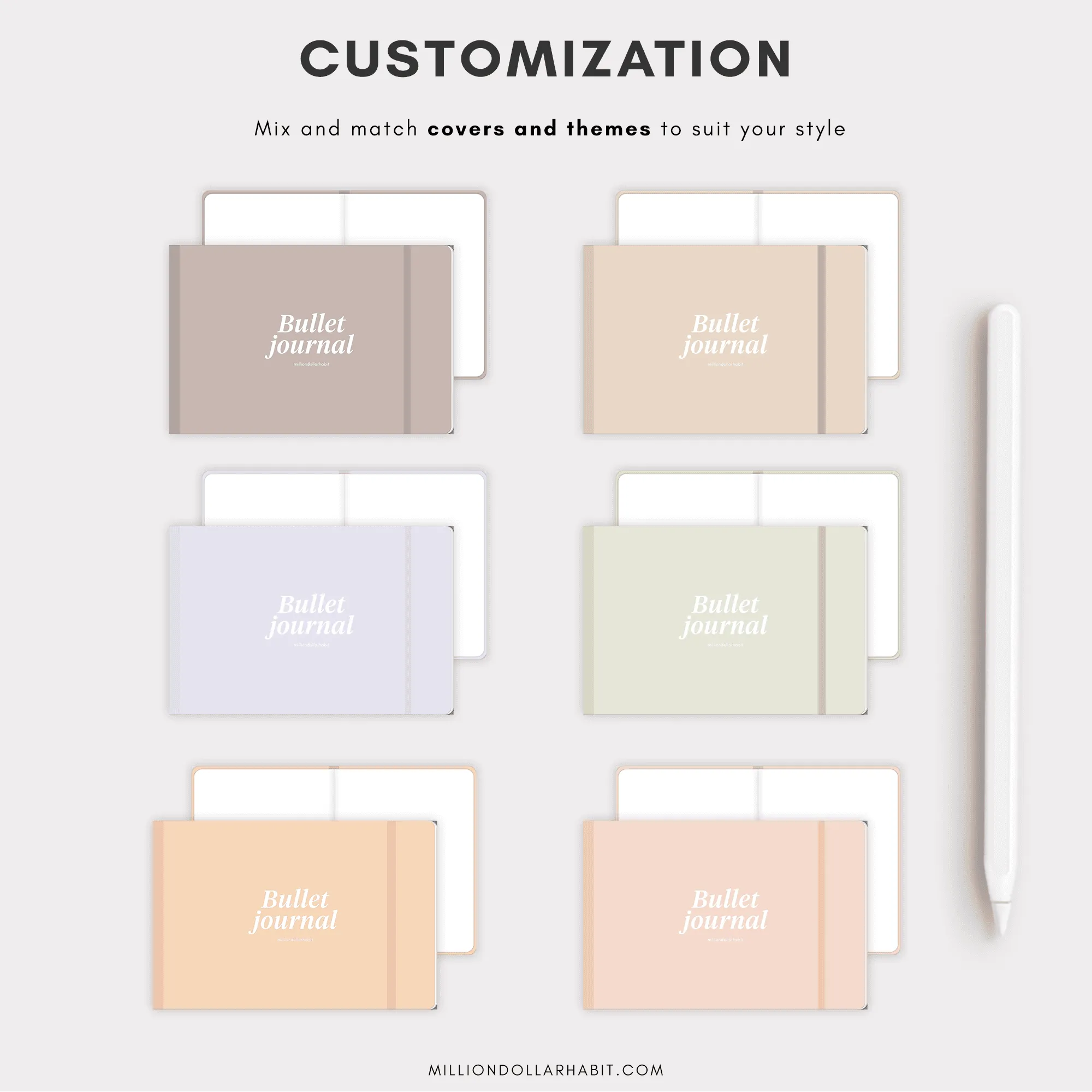
6 new color themes for a new season + 10 new paper templates + monthly view and check in page
Versatile Layouts
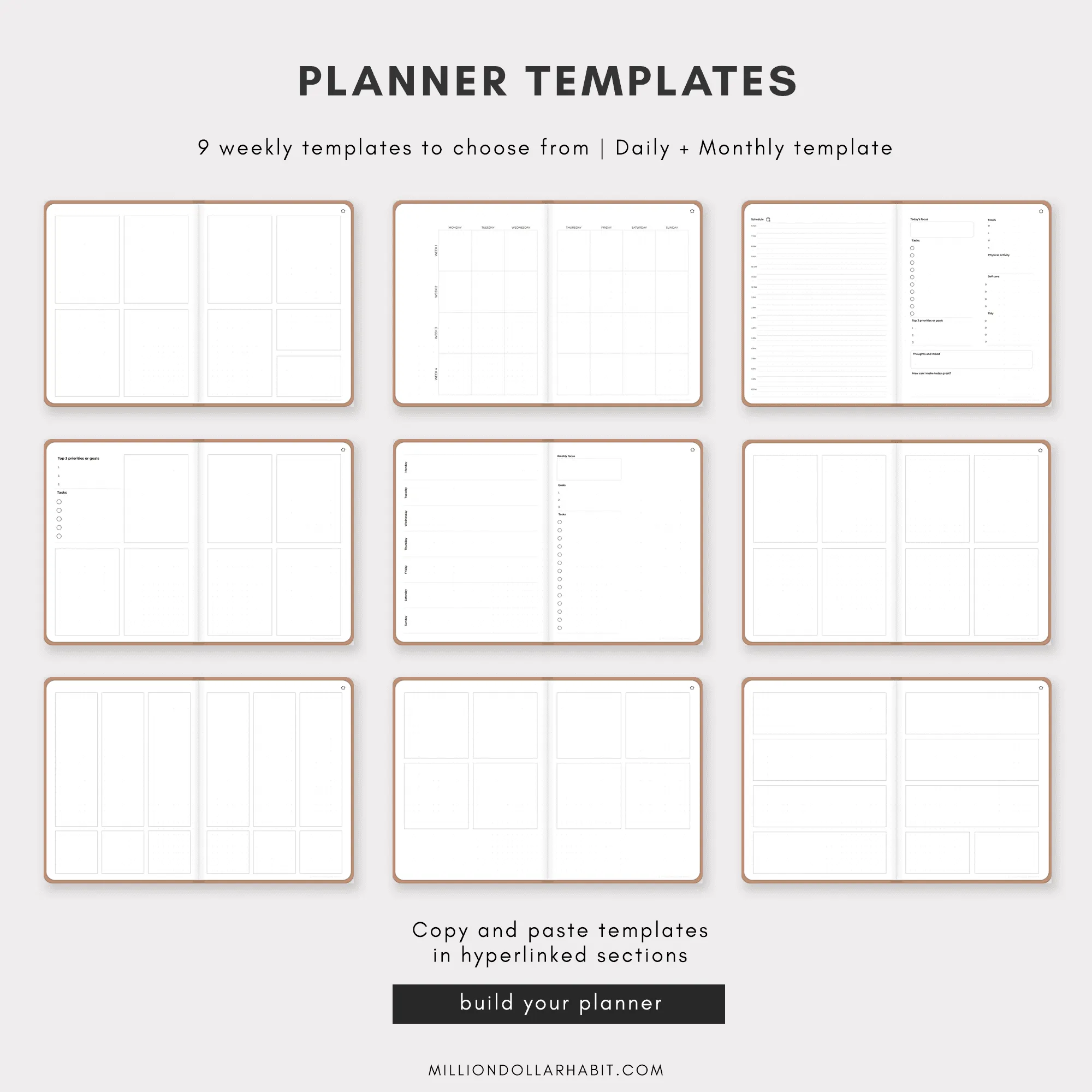
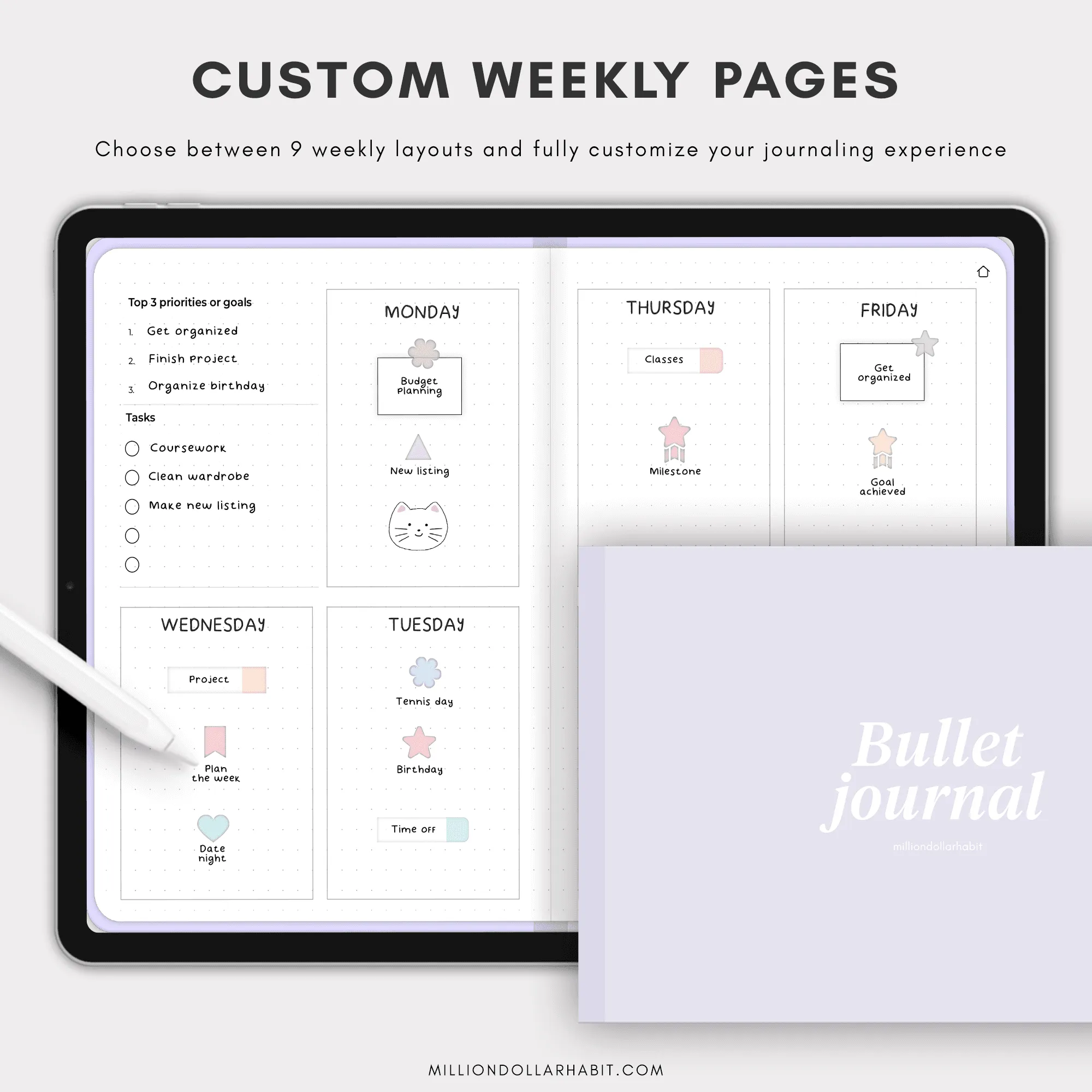
Choose from 9 weekly layouts, daily layout, and monthly layout to match your planning style. Whether you prefer a minimalist approach or a detailed schedule, we've got you covered.
Creative Templates
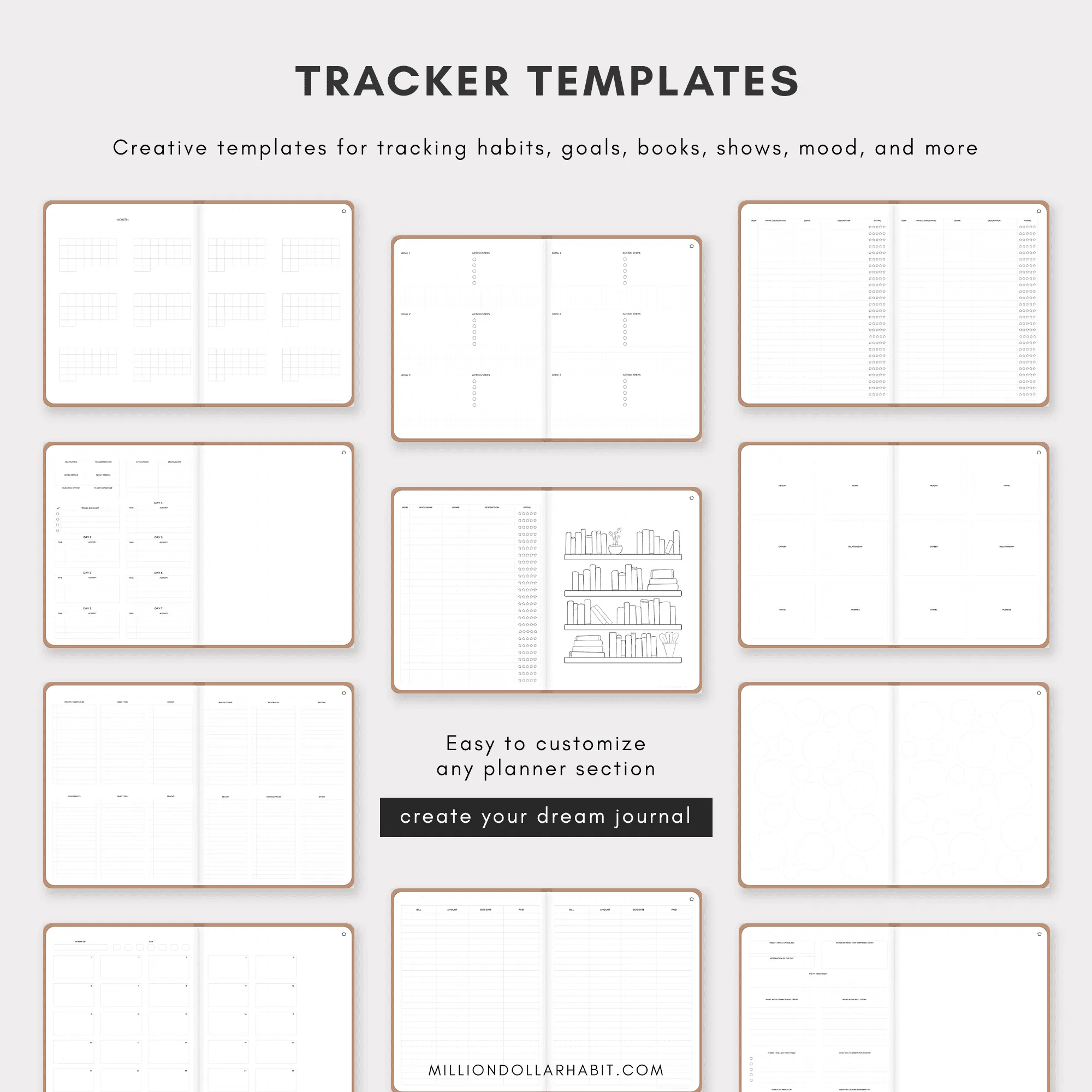
Enhance your bullet journaling with 11 creative templates. Track your books, shows, habits, and more in a visually appealing and organized manner.
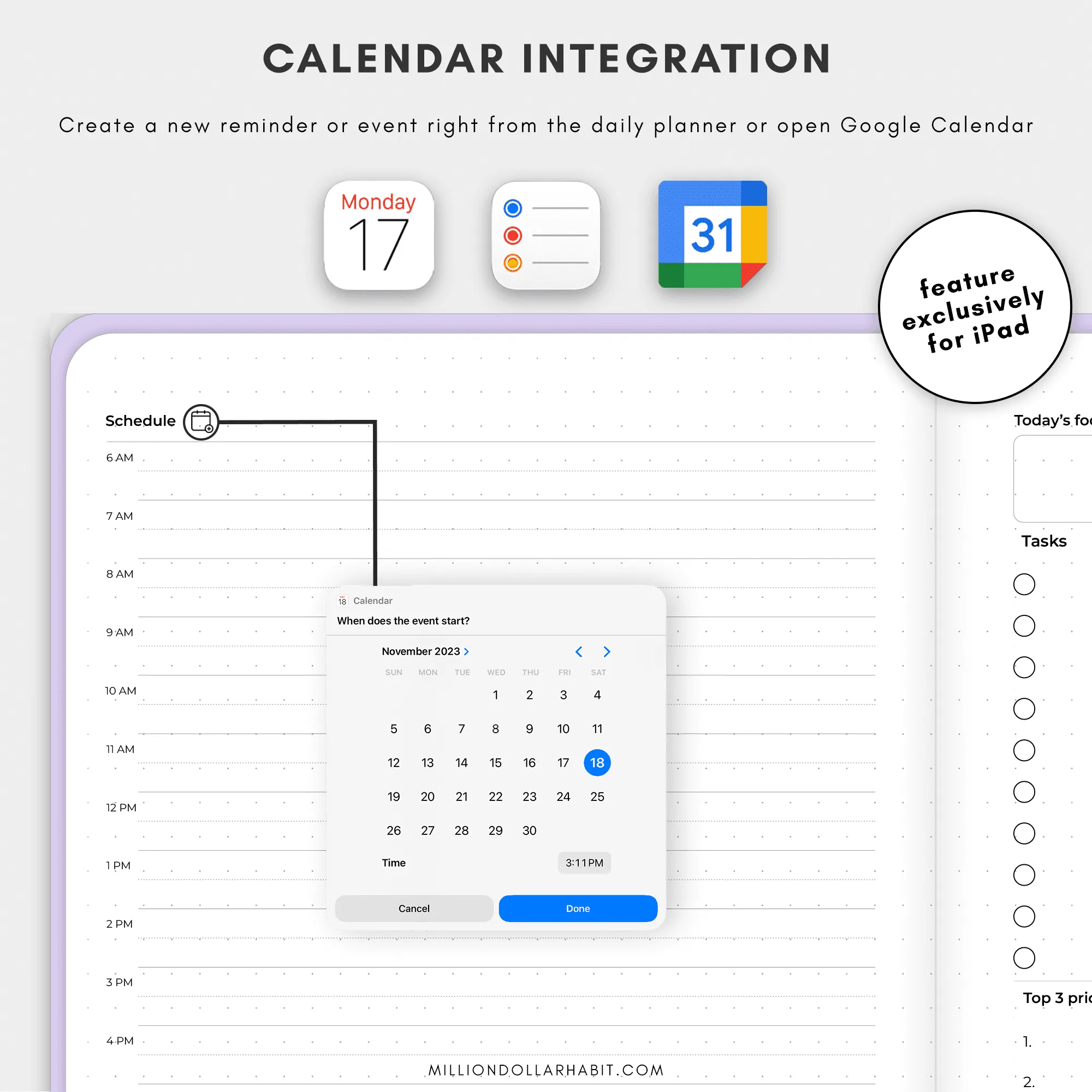
Apple and Google integration for iPad
Create apple calendar events and reminders without leaving your planner, and access the Google Calendar app seamlessly.
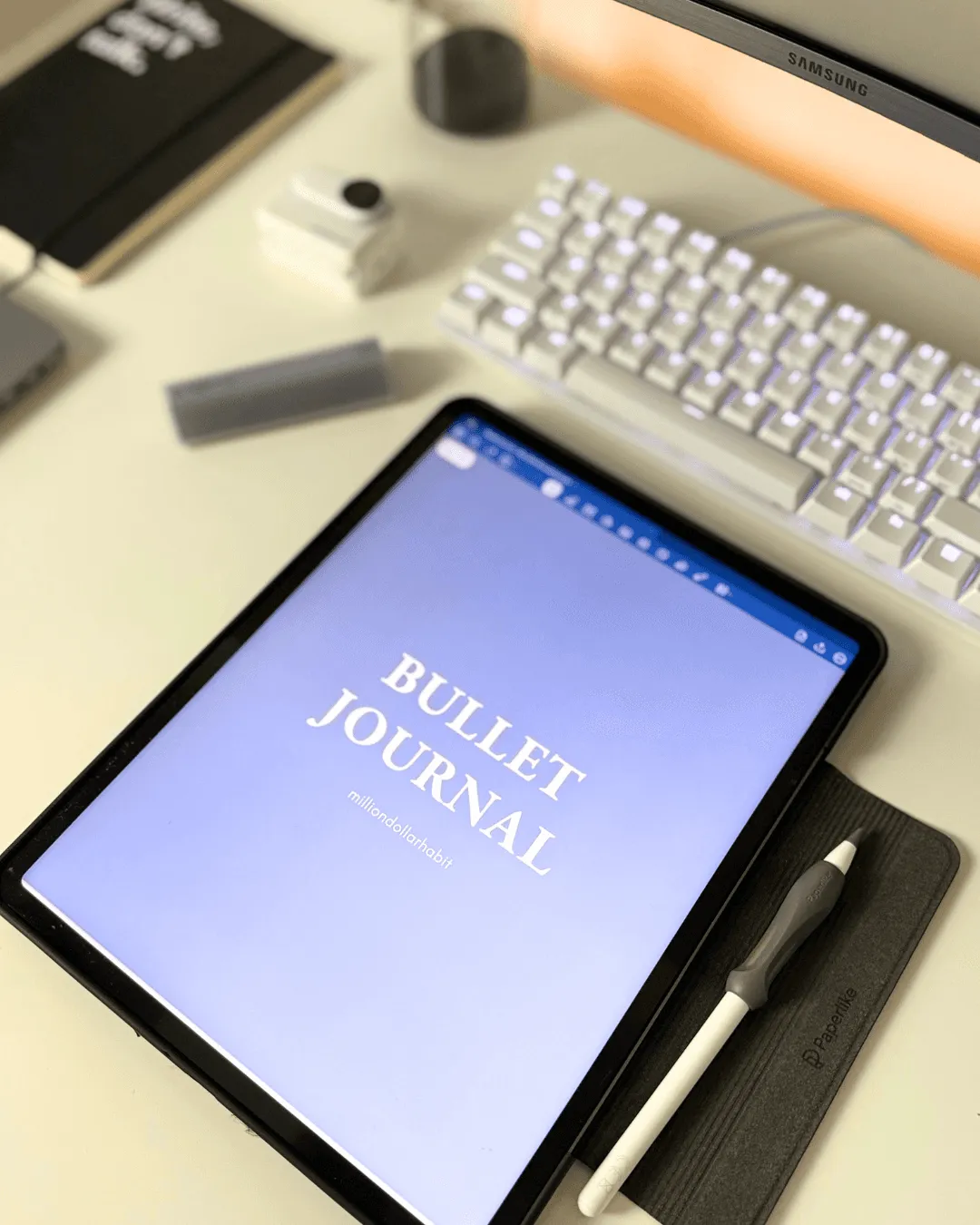
Create your dream bullet journal in GoodNotes! Designed for the modern planner enthusiast, this digital journal offers a seamless and customizable experience tailored to fit your unique needs.
Read my How to Bullet Journal Guide.
What's inside?
The digital bullet journal allows you to fully customize your planning experience. Arrange sections and subsections to suit your lifestyle and preferences.
Specifically designed for GoodNotes, our planner ensures smooth, intuitive use on your favorite digital note-taking app.
Perfect For:
Students looking to organize their study schedules and assignments.
Professionals needing a reliable and customizable planning tool.
Creatives wanting to track their projects, habits, and inspirations in one place.
Anyone seeking a structured yet flexible system to enhance productivity and mindfulness.
Bullet journal in 6 colors, decorative stickers, planner icons, covers, Apple / Google shortcut
Delivery
Instant download link after purchase
Not for
Notion or OneNote
Key features:
Sunday + Monday start included!
How to Use:
Download and Import - Instantly download the planner and import it into your GoodNotes app.
Navigate with Ease - Use the hyperlinked index to jump between sections and subsections effortlessly.
Install the apple/google shortcut (optional)
Customize - Personalize your journal with different weekly, daily, and monthly layouts. Add creative templates to track various aspects of your life.
Enjoy! - Experience the satisfaction of a well-organized and aesthetically pleasing digital bullet journal.
Instant Download Includes:
Digital Bullet Journal PDF in 6 colors
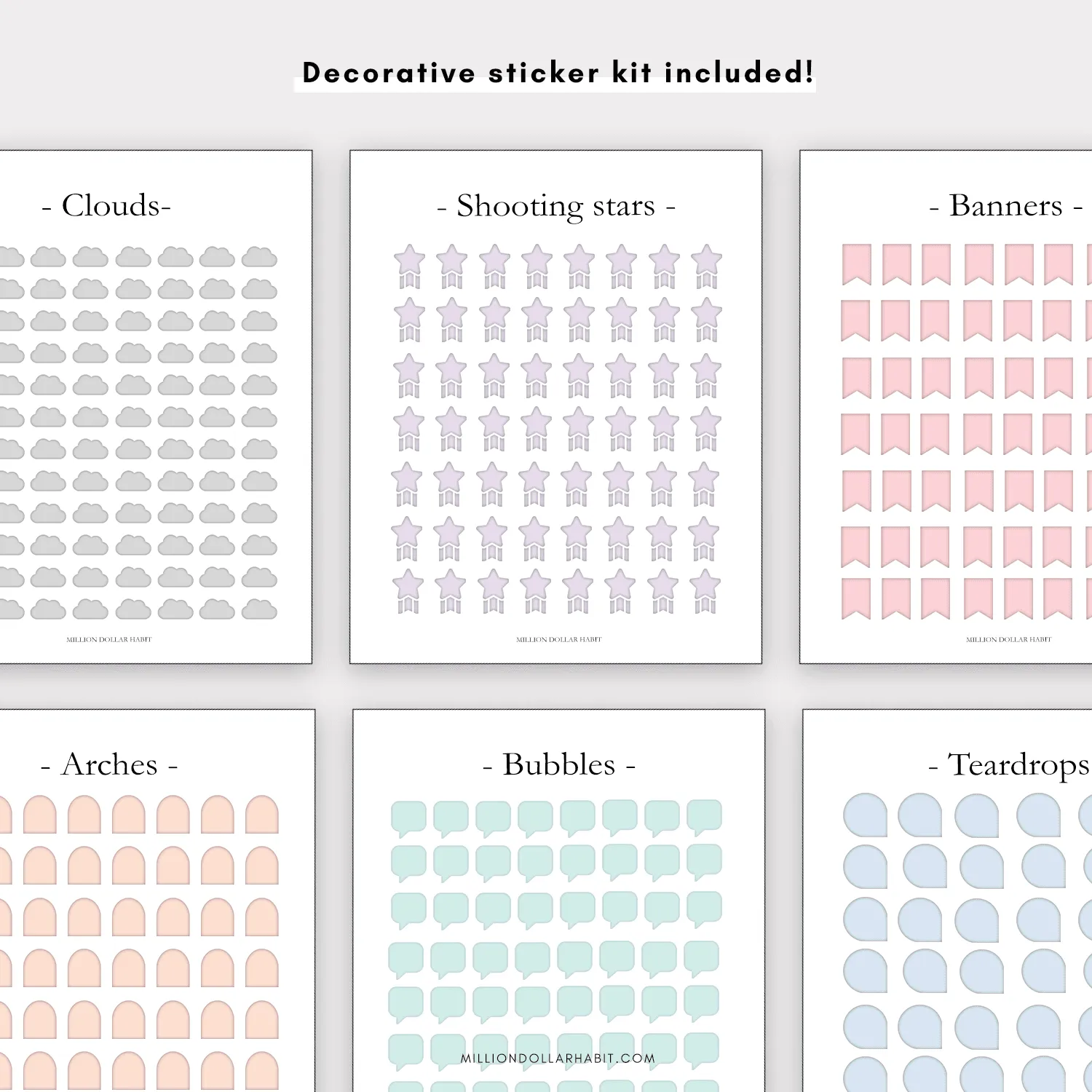
Decorative stickers
Planner icons
Planner covers
Apple / Google integration shortcut
Transform your planning routine with our Digital Bullet Journal for GoodNotes and take the first step towards a more organized, productive, and creative life!
In their own words
Testimonials
Here's what our customers are saying about our planners. Trusted by over 45000+ customers worldwide.
★★★★★
Switched from three abandoned apps to this one and hit every weekly goal for the past two months.
★★★★★
The habit tracker guilt‑tags me just enough to get off Instagram and do the workout.
★★★★★
Icons and stickers drop in perfectly; my week now looks like a curated mood board
★★★★★
Haven’t bought a new “perfect” notebook in two months, which is a record for me.
★★★★★
The muted palette feels like a cozy café; planning doesn’t feel like work anymore
★★★★★
Switched from three abandoned apps to this one and hit every weekly goal for the past two months.
★★★★★
The habit tracker guilt‑tags me just enough to get off Instagram and do the workout.
★★★★★
Icons and stickers drop in perfectly; my week now looks like a curated mood board
★★★★★
Haven’t bought a new “perfect” notebook in two months, which is a record for me.
★★★★★
The muted palette feels like a cozy café; planning doesn’t feel like work anymore
★★★★★
I recommend it for the Focus Modes that hide non‑essential lists during deep work sessions.
★★★★★
Love how the minimal layout makes my messy notes look intentional instead of chaotic
★★★★★
I highly recommend them to anyone needing better organization. These Notion templates are fantastic!
★★★★★
I love that we get lifetime updates for the Life Dashboard, my favorite
★★★★★
I recommend it for the Focus Modes that hide non‑essential lists during deep work sessions.
★★★★★
Love how the minimal layout makes my messy notes look intentional instead of chaotic
★★★★★
I highly recommend them to anyone needing better organization. These Notion templates are fantastic!
★★★★★
I love that we get lifetime updates for the Life Dashboard, my favorite
Yes. This planner is fully compatible with GoodNotes and is optimized for iPad use. All links, tabs, and pages work seamlessly inside the GoodNotes app.
Is this planner beginner-friendly?
Yes. Whether you’re new to digital planning or already use GoodNotes daily, these planners are designed to be intuitive, clean, and easy to use from day one.
Are refunds available for digital planners?
Due to the nature of digital products, all sales are final. If you have any issues with your download or compatibility, support is always happy to help.
Is this a one-time purchase?
Yes. This is a one-time digital download. You pay once and can use the files on your personal devices as long as you want.
How do I download and import the planner into GoodNotes?
After purchase, you’ll receive a download link:
Download the PDF files to your iPad or computer
Open GoodNotes
Tap “Import” and select the planner file
Once imported, you can start using it immediately.
Which apps are supported besides GoodNotes?
These digital planners work with most PDF annotation apps, including:
GoodNotes (recommended)
Notability
Noteshelf
ZoomNotes
Xodo
These PDF planners are not compatible with Notion or OneNote, as those apps don't support interactive hyperlinked PDFs the same way.
Can I use this digital planner on iPad?
Absolutely. All Million Dollar Habit planners are designed specifically for iPad + Apple Pencil. They also work on other tablets that support PDF annotation apps, but the best experience is on iPad.
Do I need a new download every month?
No. You get access to the same wallpaper library on Google Drive, which is updated over time.
When a new month is added, it appears alongside the previous months in that library.
What is a digital planner for GoodNotes?
A digital planner for GoodNotes is a hyperlinked PDF designed to be used inside the GoodNotes app on iPad. You can write, highlight, and decorate it using Apple Pencil—just like a paper planner, but fully digital.