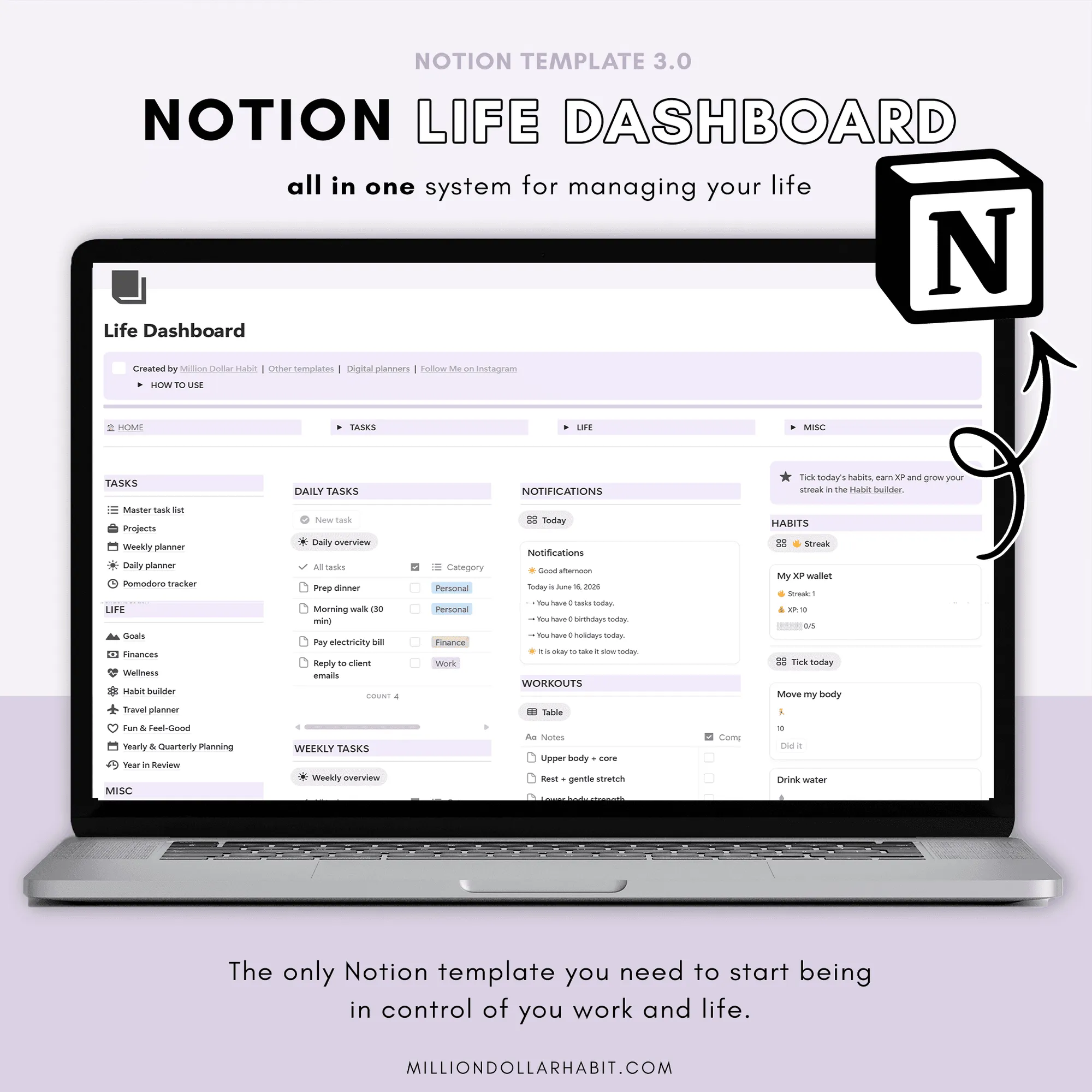
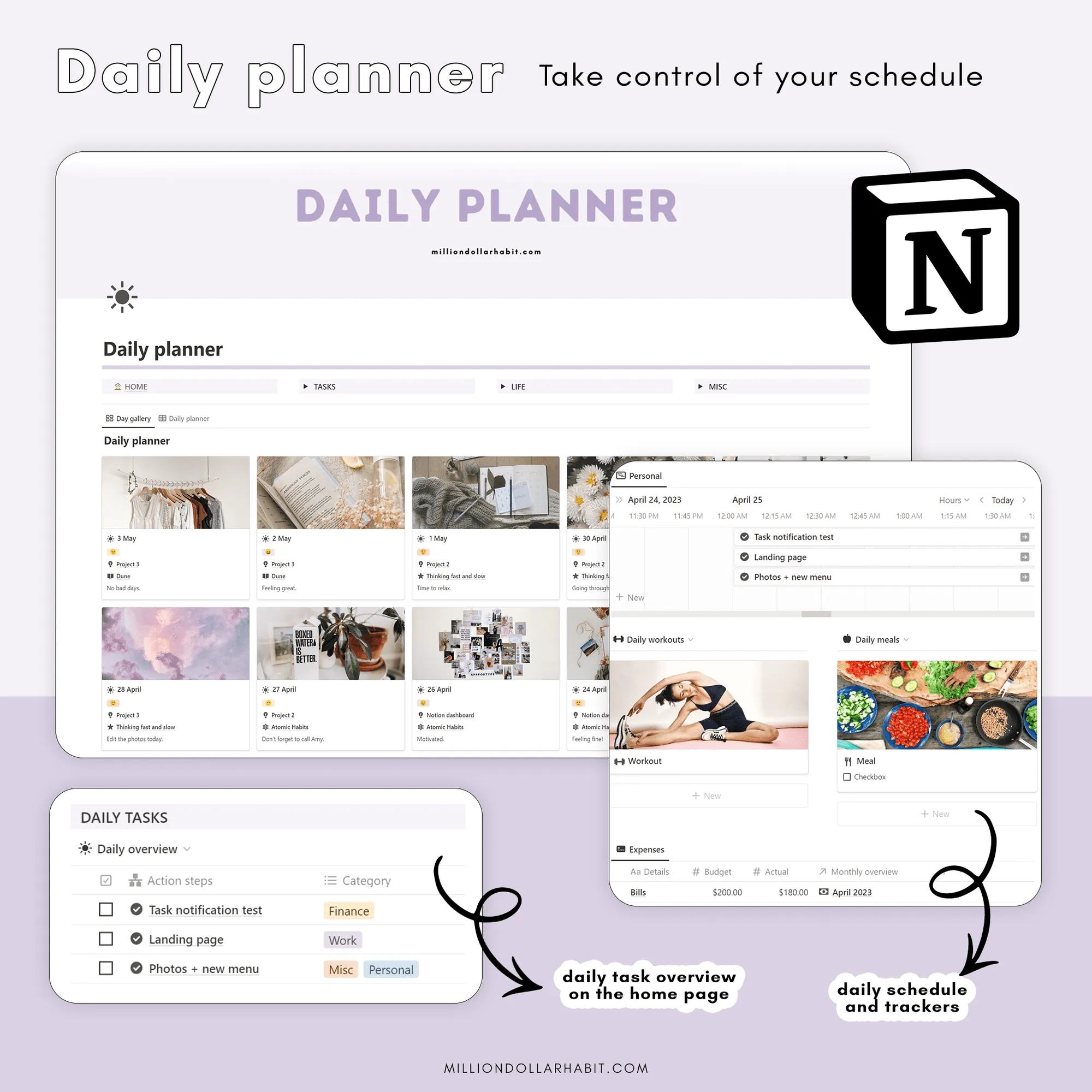
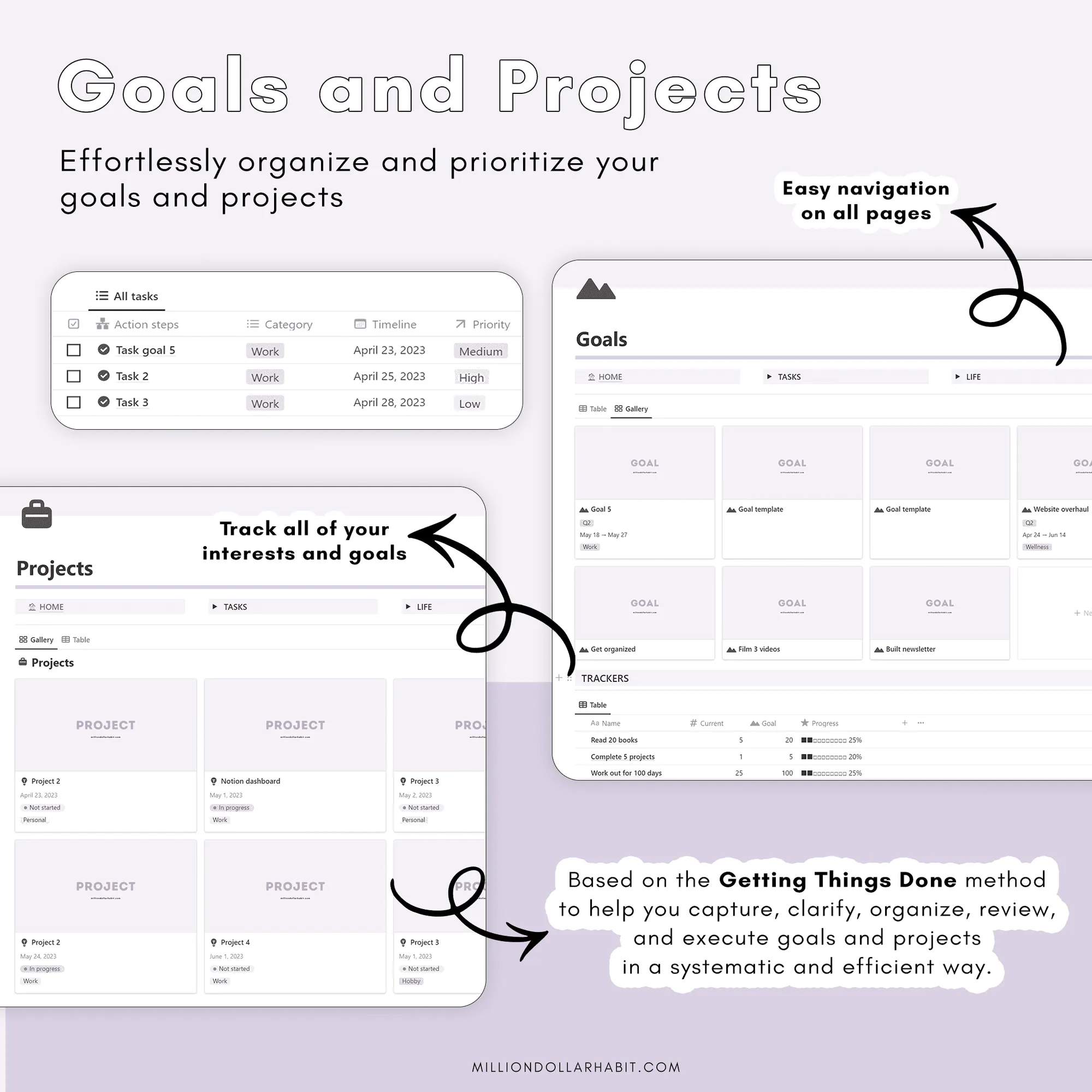
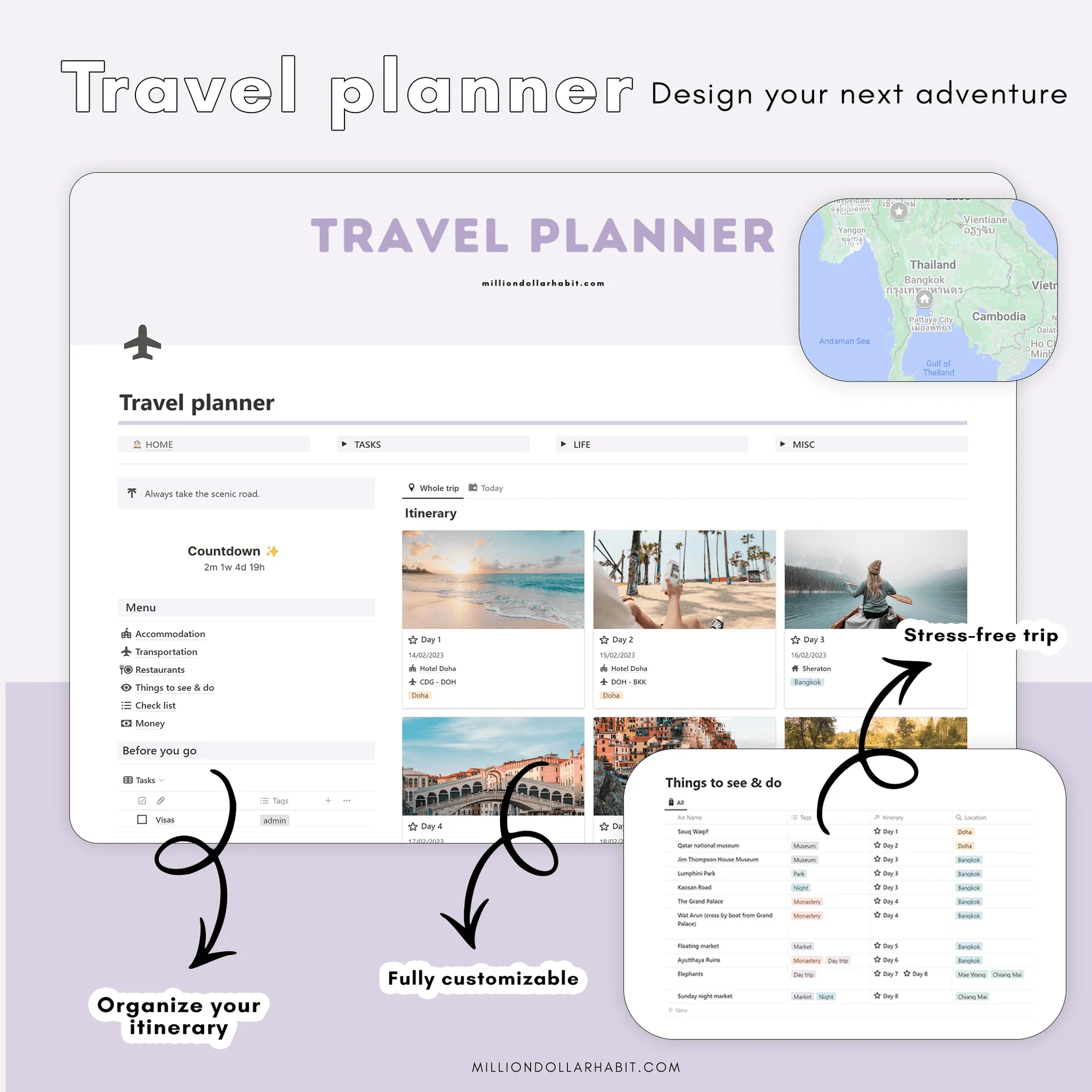
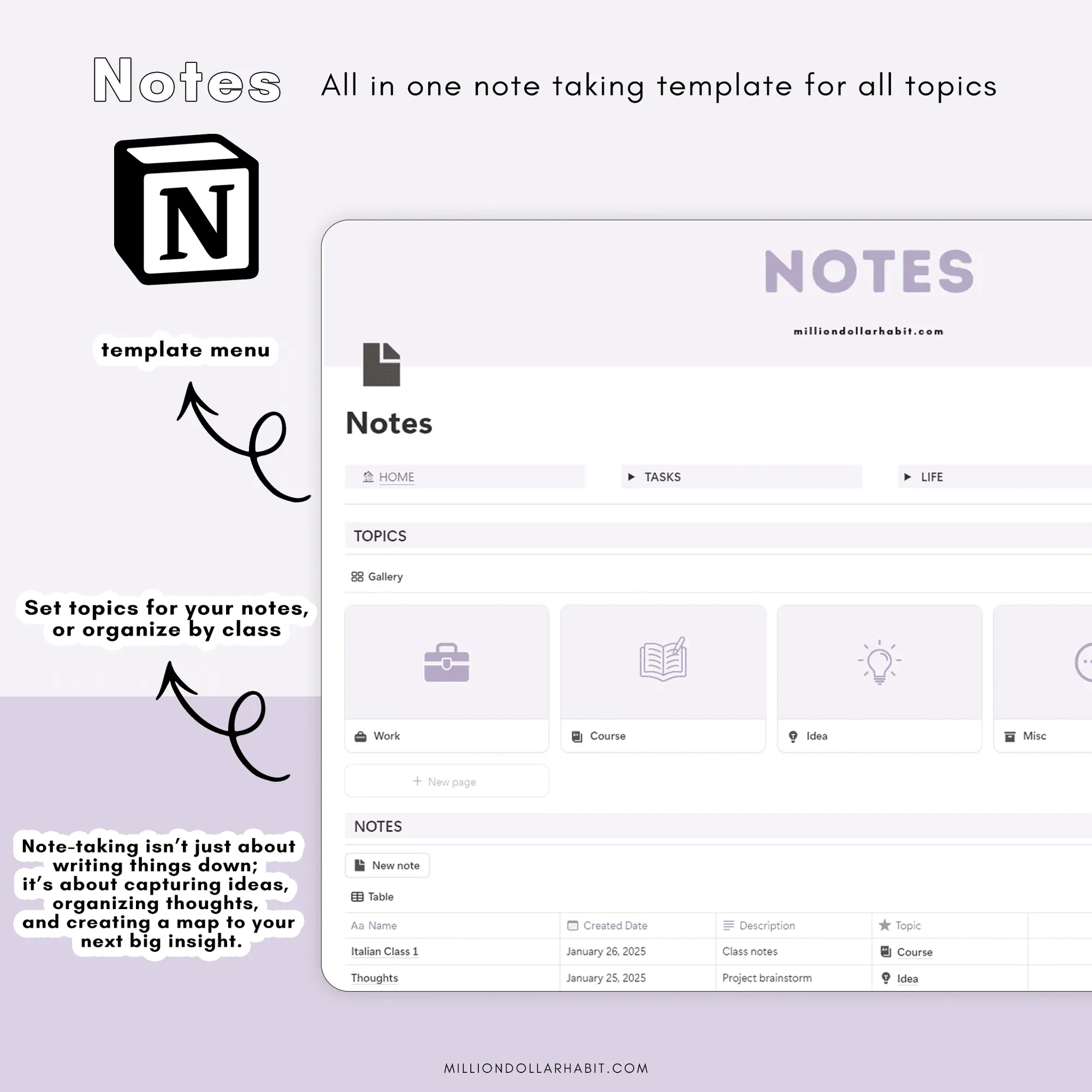
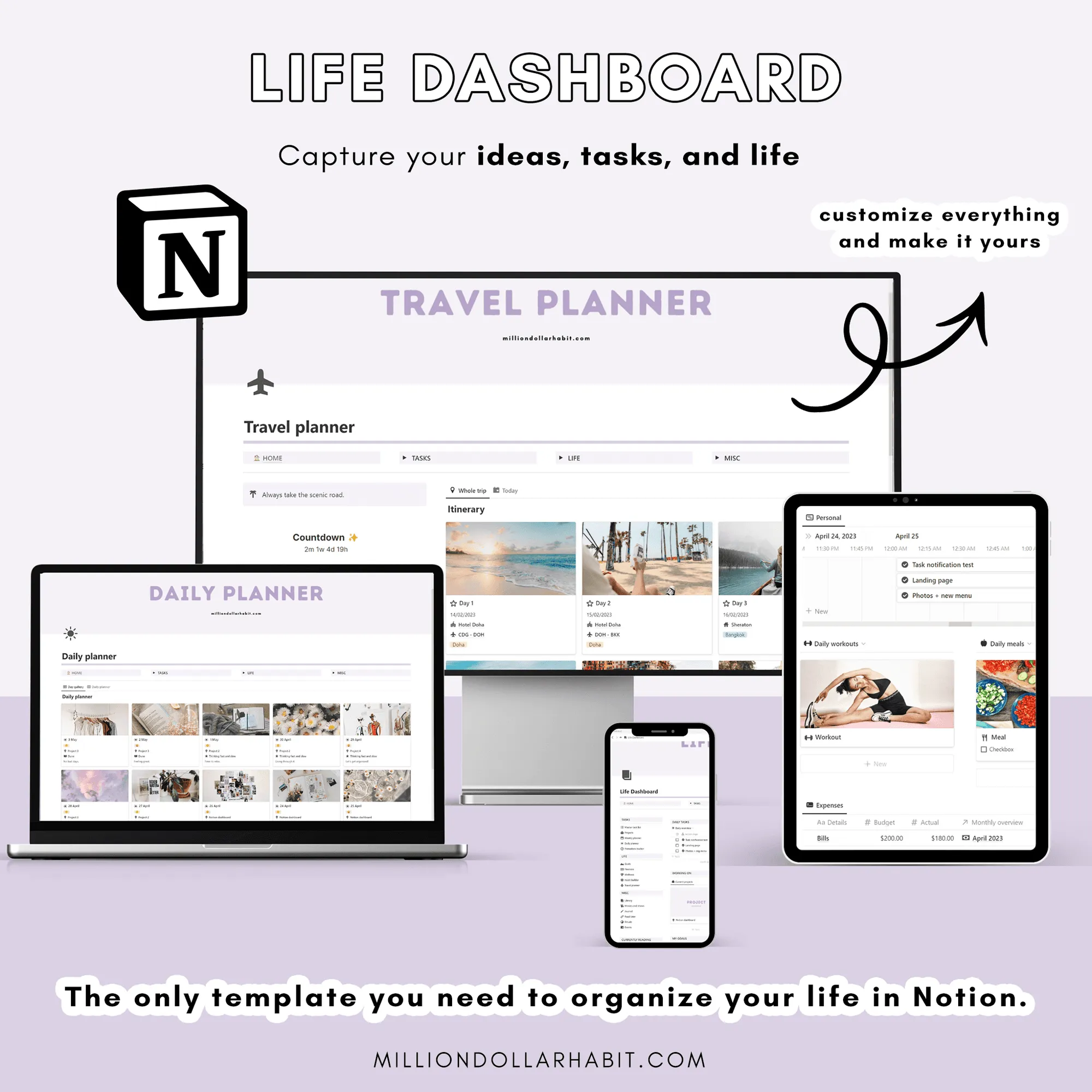
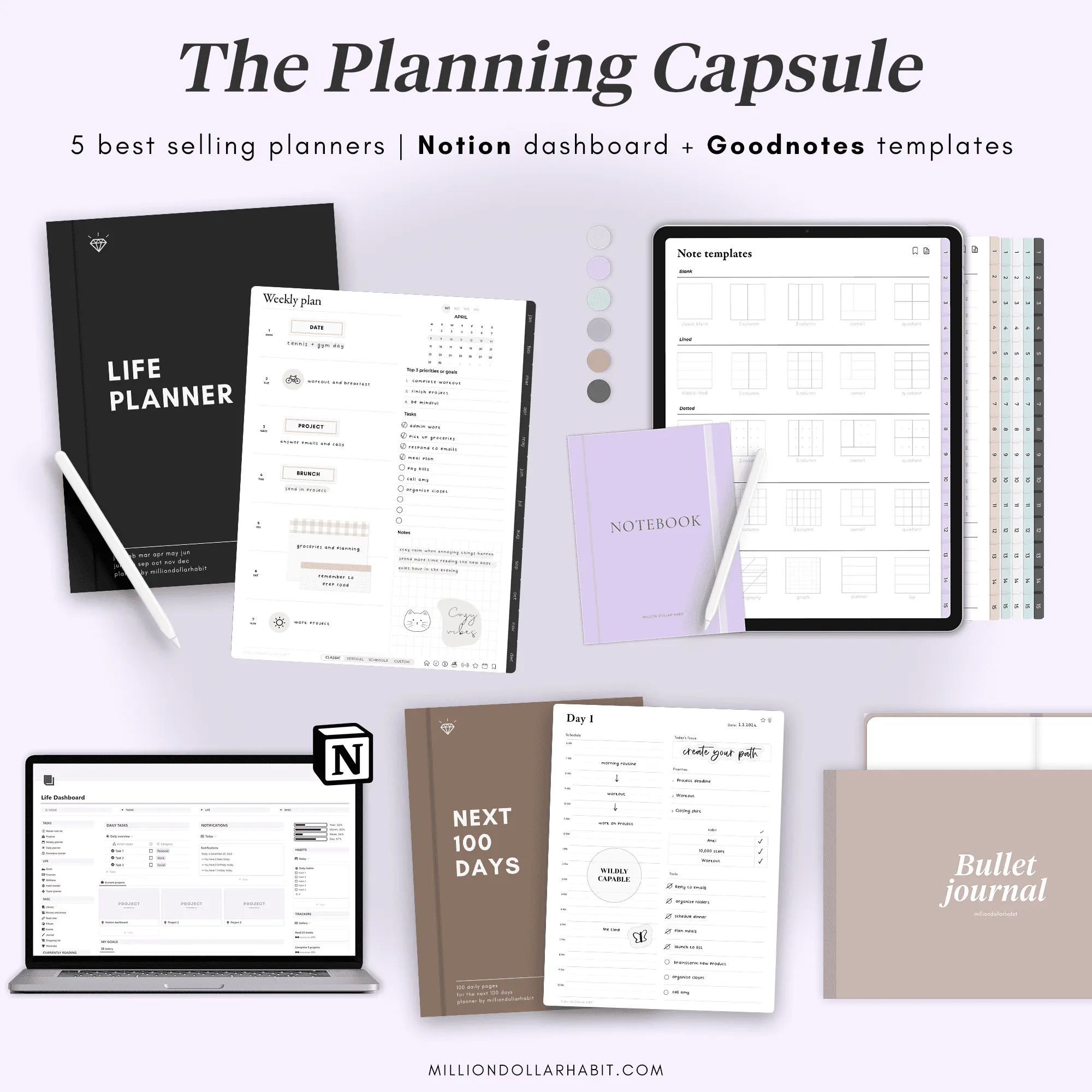
Interactive dashboard, notification center, daily/weekly/monthly planning, Master Tasks with recurring tasks, Projects (GTD), Goals with quarterly & yearly planning, Year in Review, notes & ideas, shopping list, travel planner, on-the-go mobile page.
Rebuilt habits
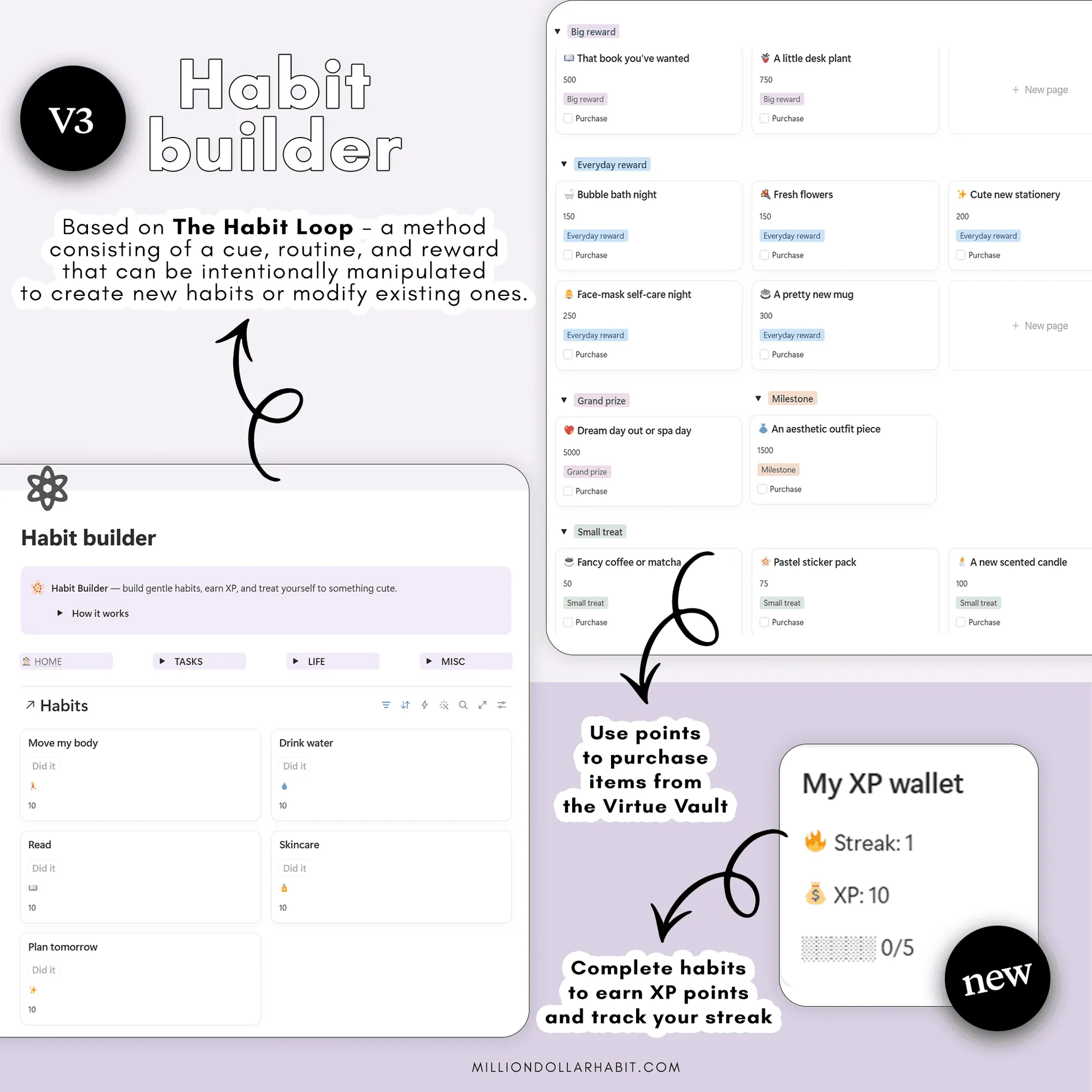
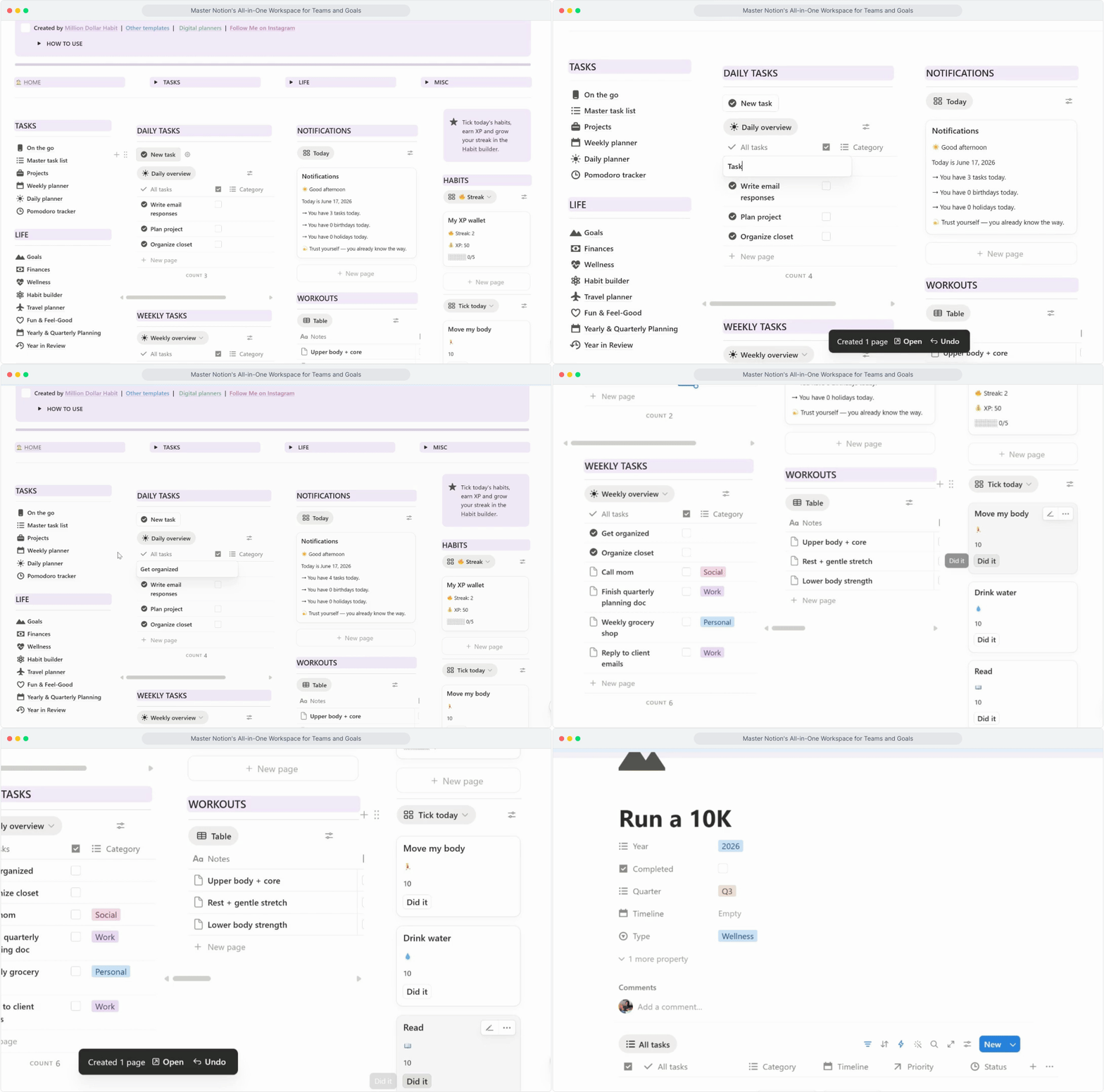
One-tap 'Did it' logging, automatic streaks and XP, a daily progress bar and a cute rewards vault.
Library & leisure
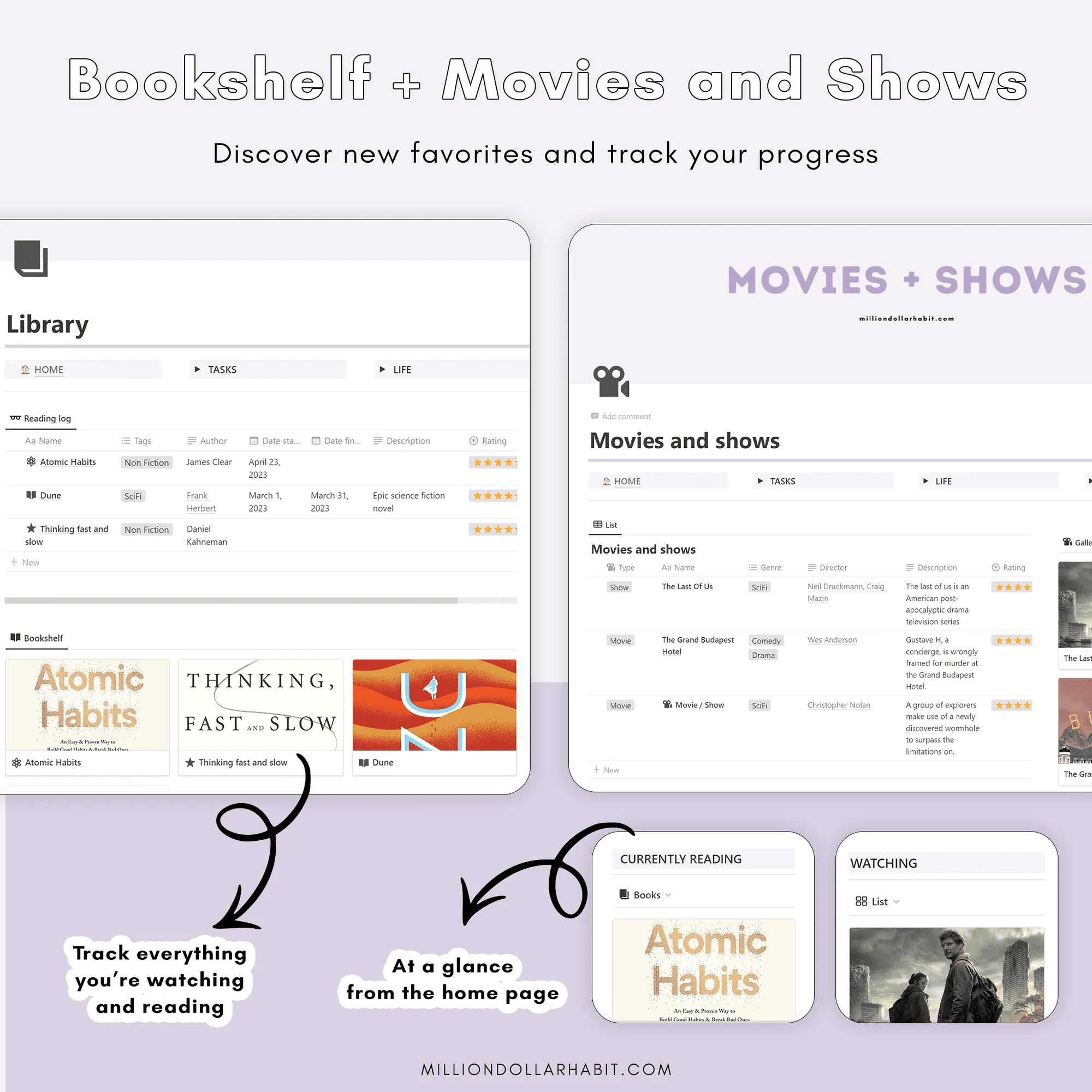
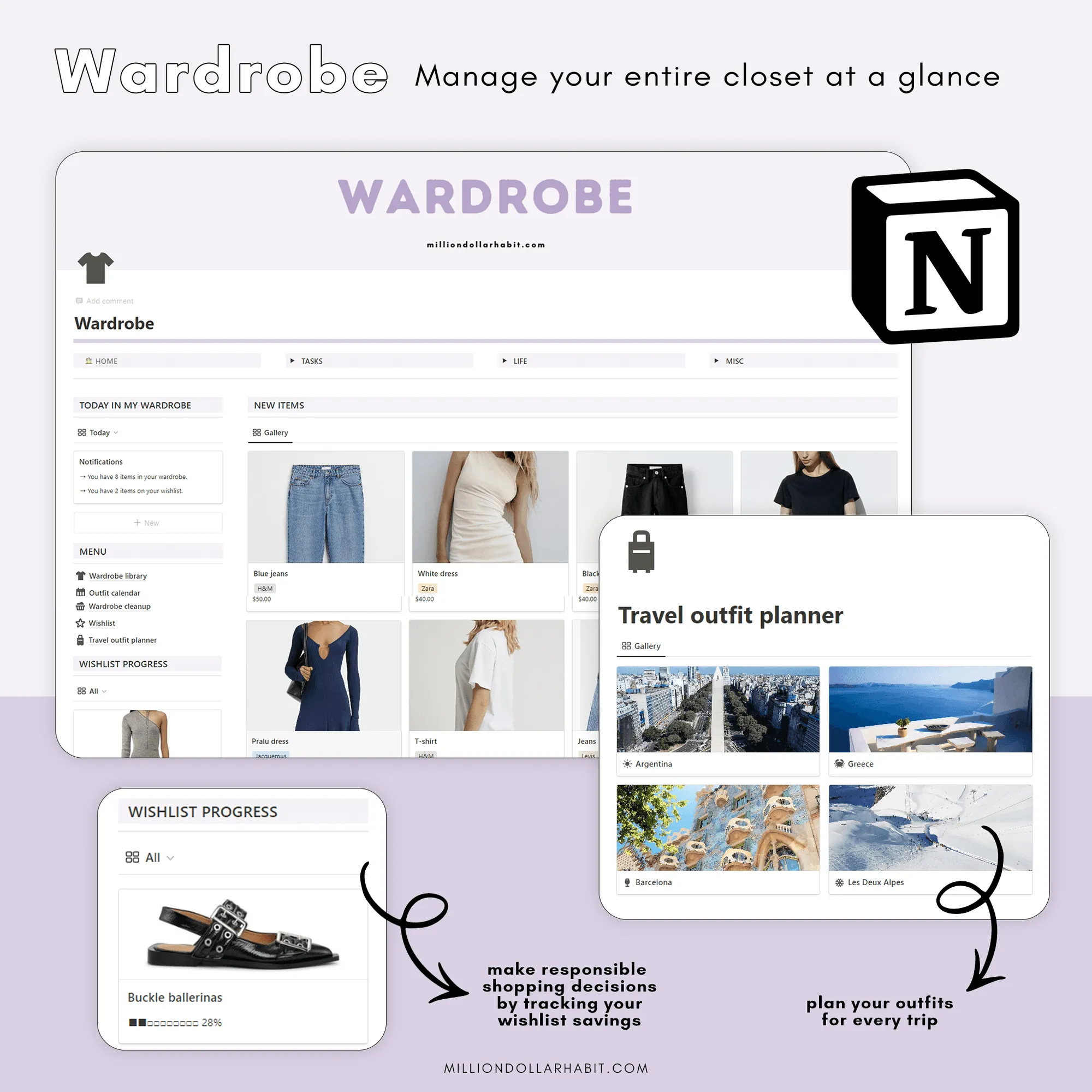
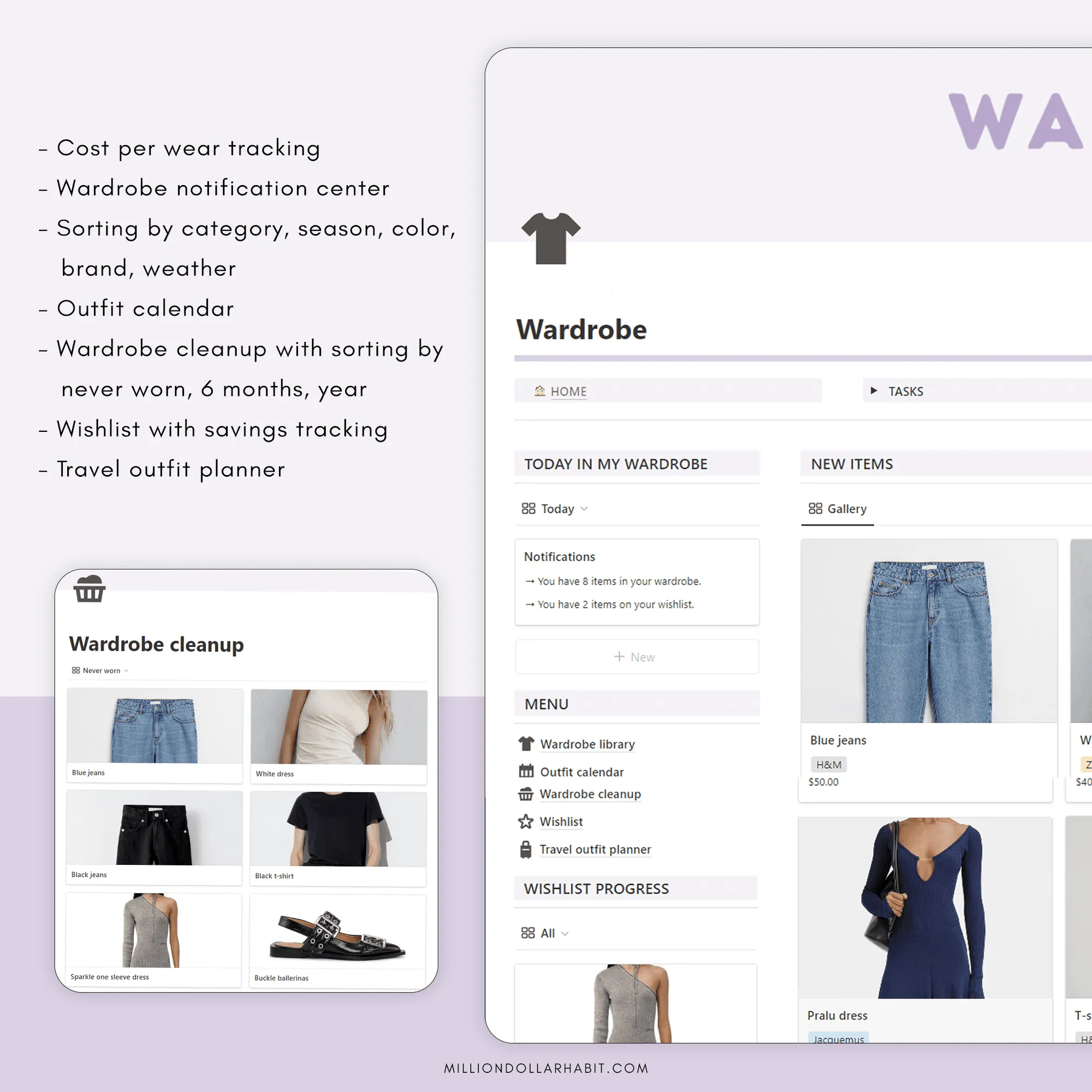
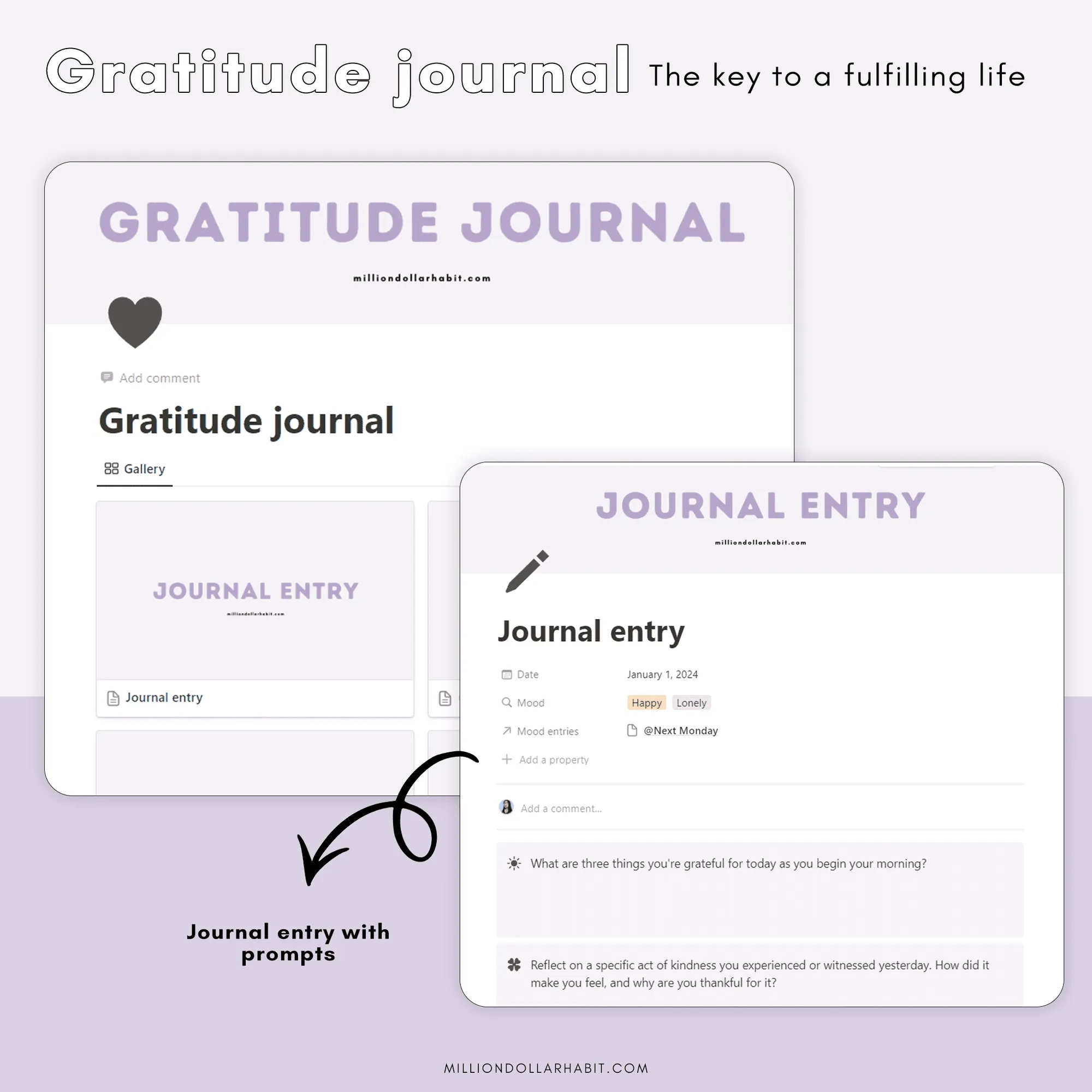
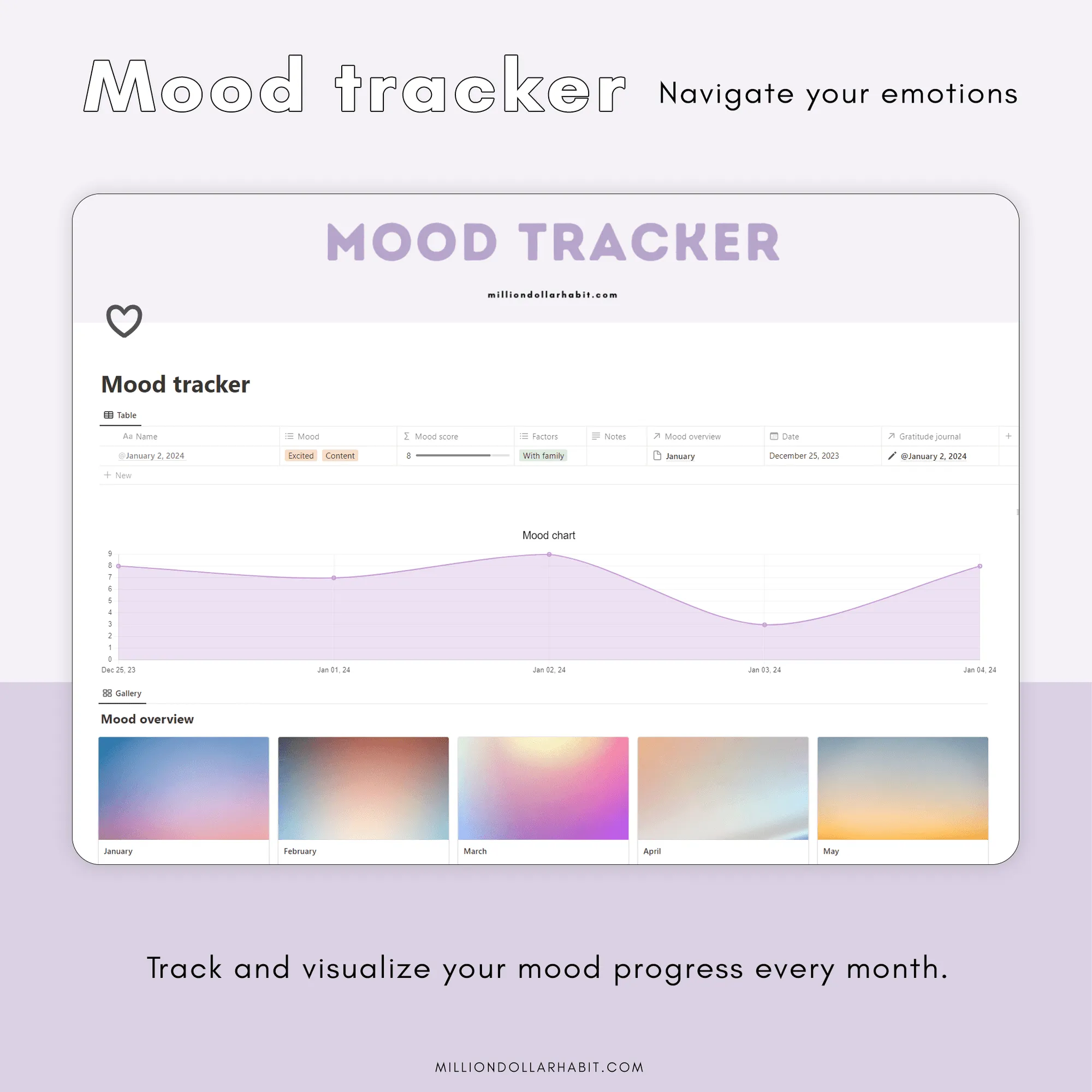
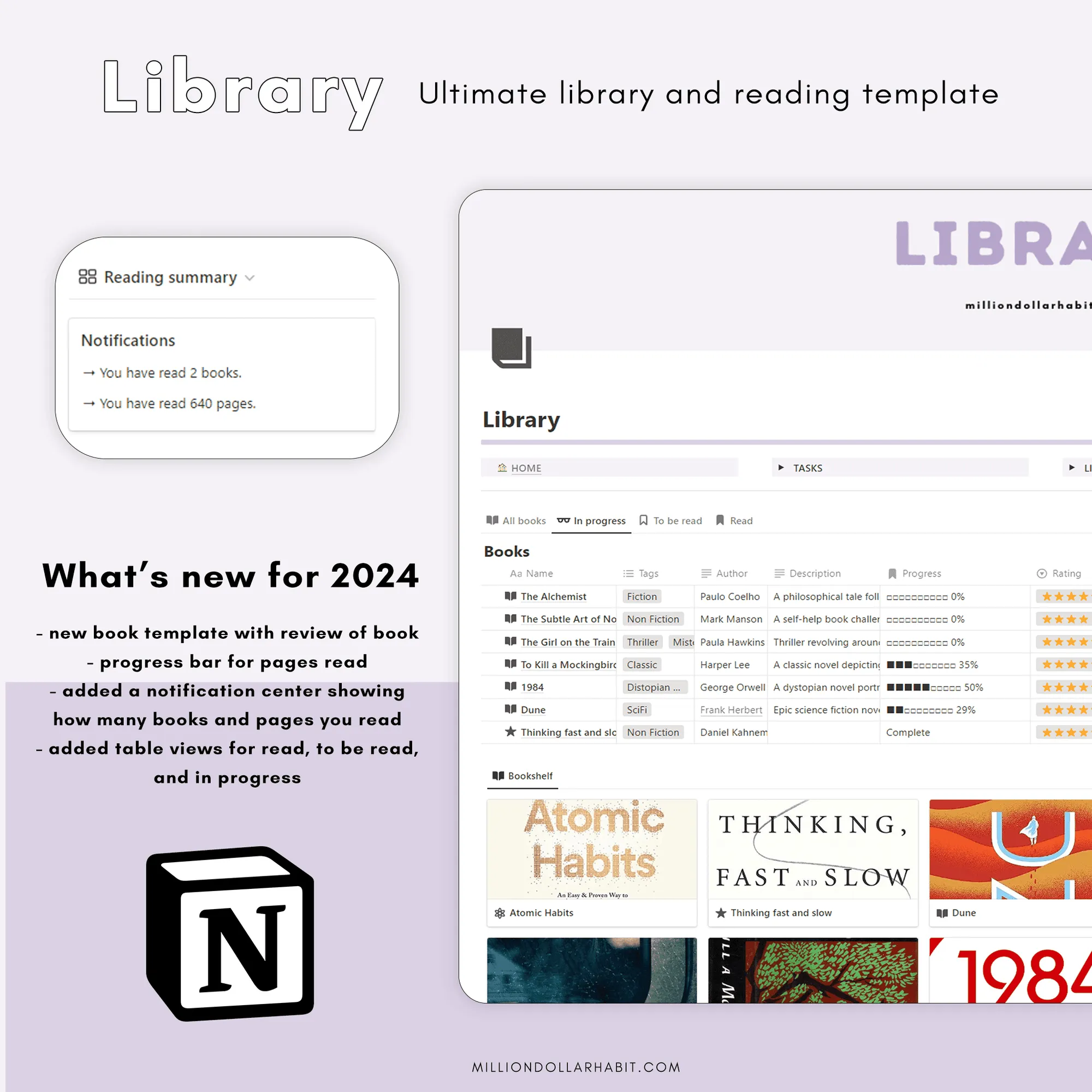
Reading tracker with progress bars, movies & shows, the wardrobe manager and a journal with mood tracking.
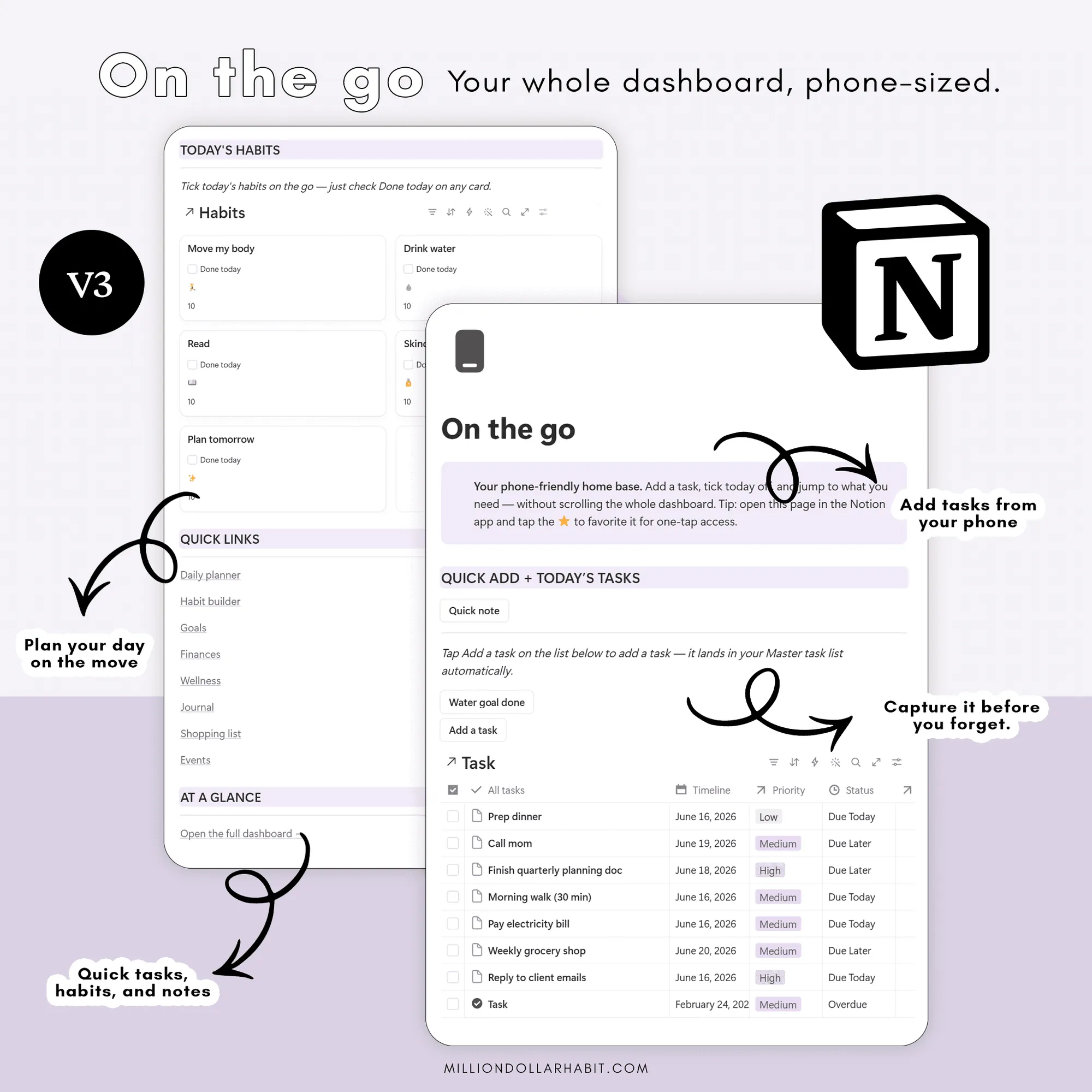
On-the-go mobile page
A phone-friendly page — one tap to add a task, jot a note, log your water or tick today's habits.
Year planning + review
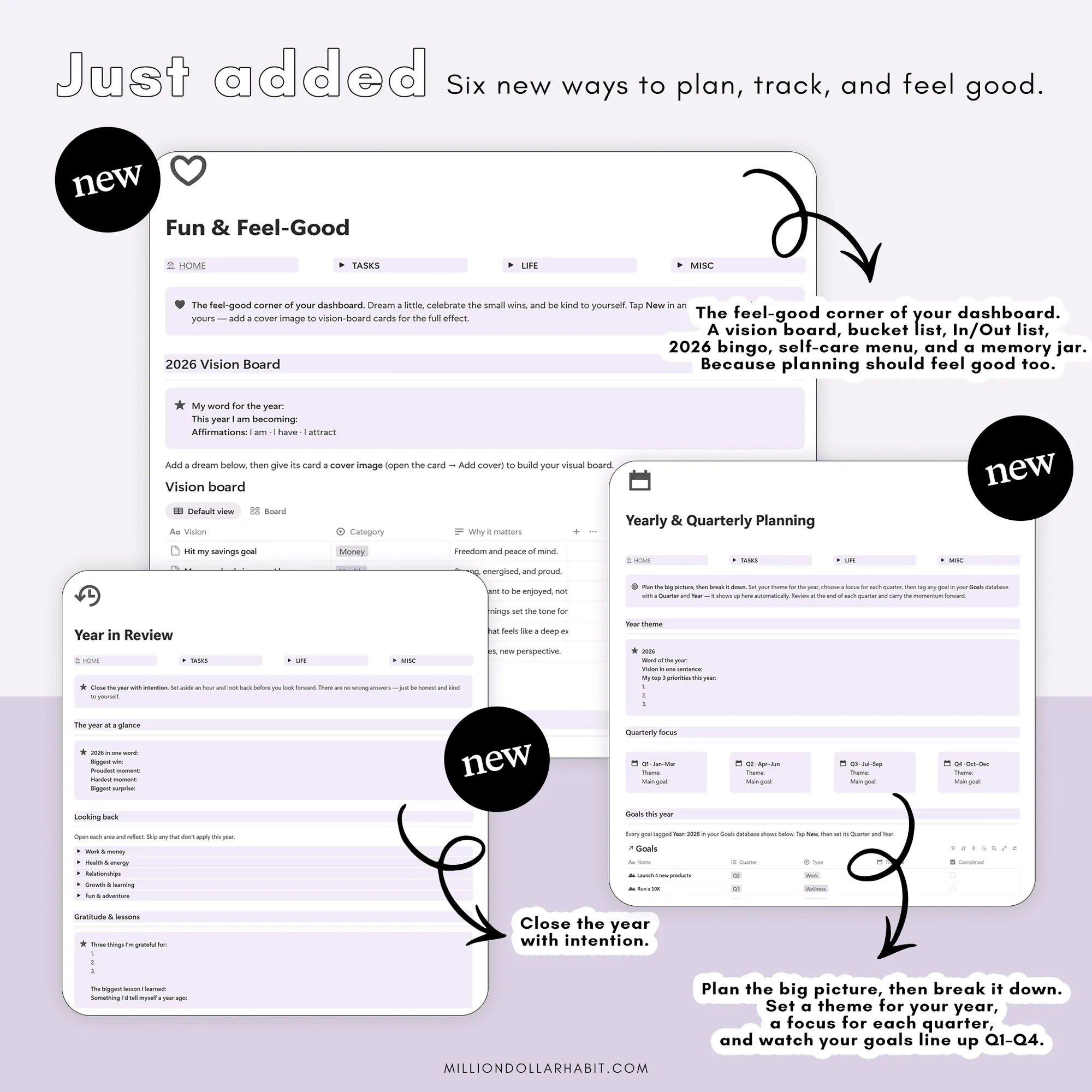
A new Yearly & Quarterly Planning page (year theme, quarterly focus, goals by Q1–Q4) plus a guided Year in Review.
Everything you're trying to keep track of, in one calm Notion home. Tasks, goals, habits, money and wellness live together, so you can stop rebuilding systems and juggling five apps just to run your week.
It's designed to be simple from day one. The things you reach for most are right at your fingertips — no complicated shortcuts to memorize, no clicking through endless menus just to get something done.
It's built on the Getting Things Done (GTD) method — a proven system for capturing what's on your mind, clarifying the next step, organizing it, and getting it done. So nothing lives in your head rent-free, and nothing slips through the cracks.
Your whole life, organized in one calm Notion home.
Lifetime updates
Runs on the free Notion plan
Desktop, iPad & phone
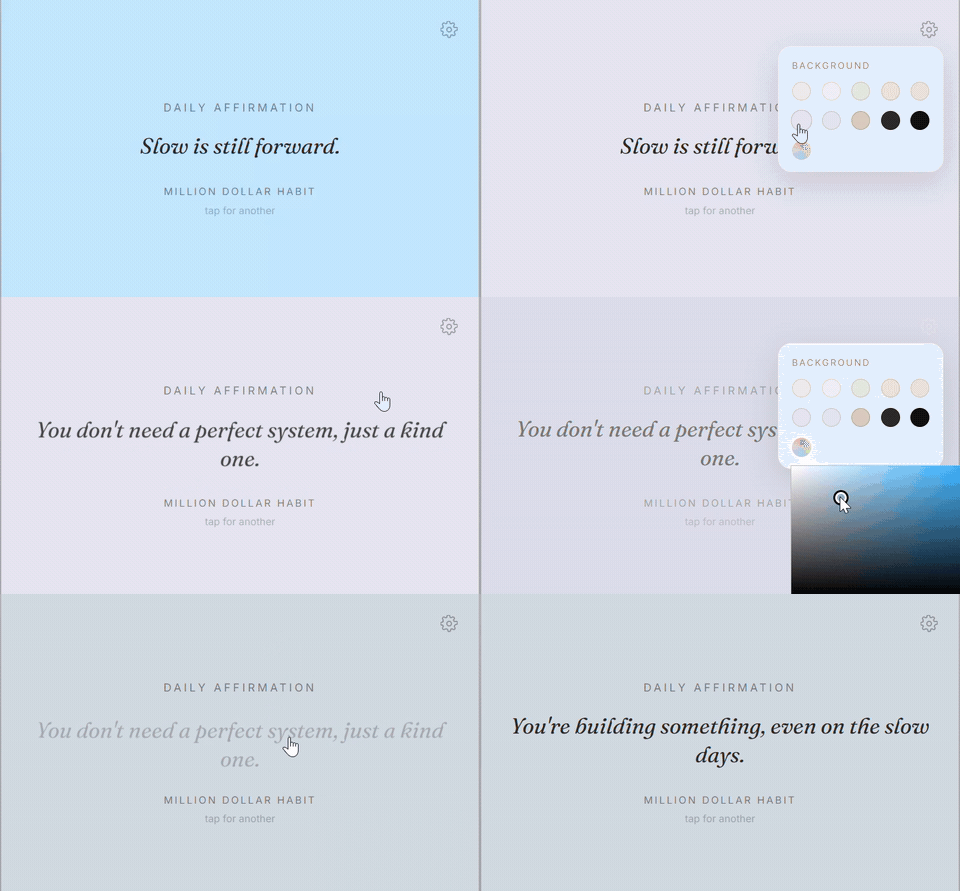
🎁 Free daily affirmation widget for your Notion
What's inside?
See it in action
A quick tour of your Life Dashboard 3.0.
Featured by Notion & GoodNotes
Runs on the free Notion plan
Lifetime updates included
What's inside
Your whole life, sorted into one calm Notion home.
Habits & routines
Habit Builder with an interactive rewards shop (Habit Loop method), plus a morning & evening routine builder.
Wellness
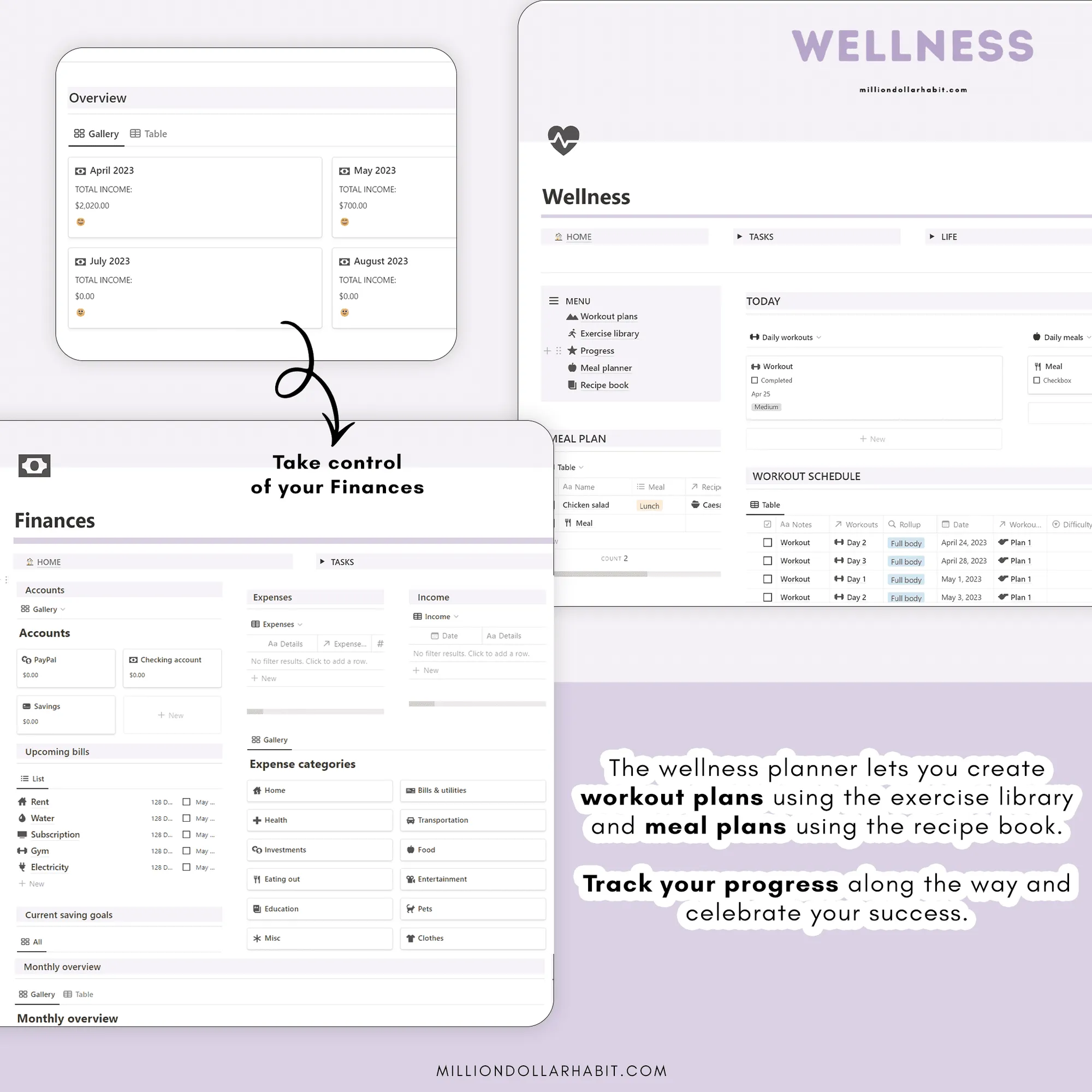
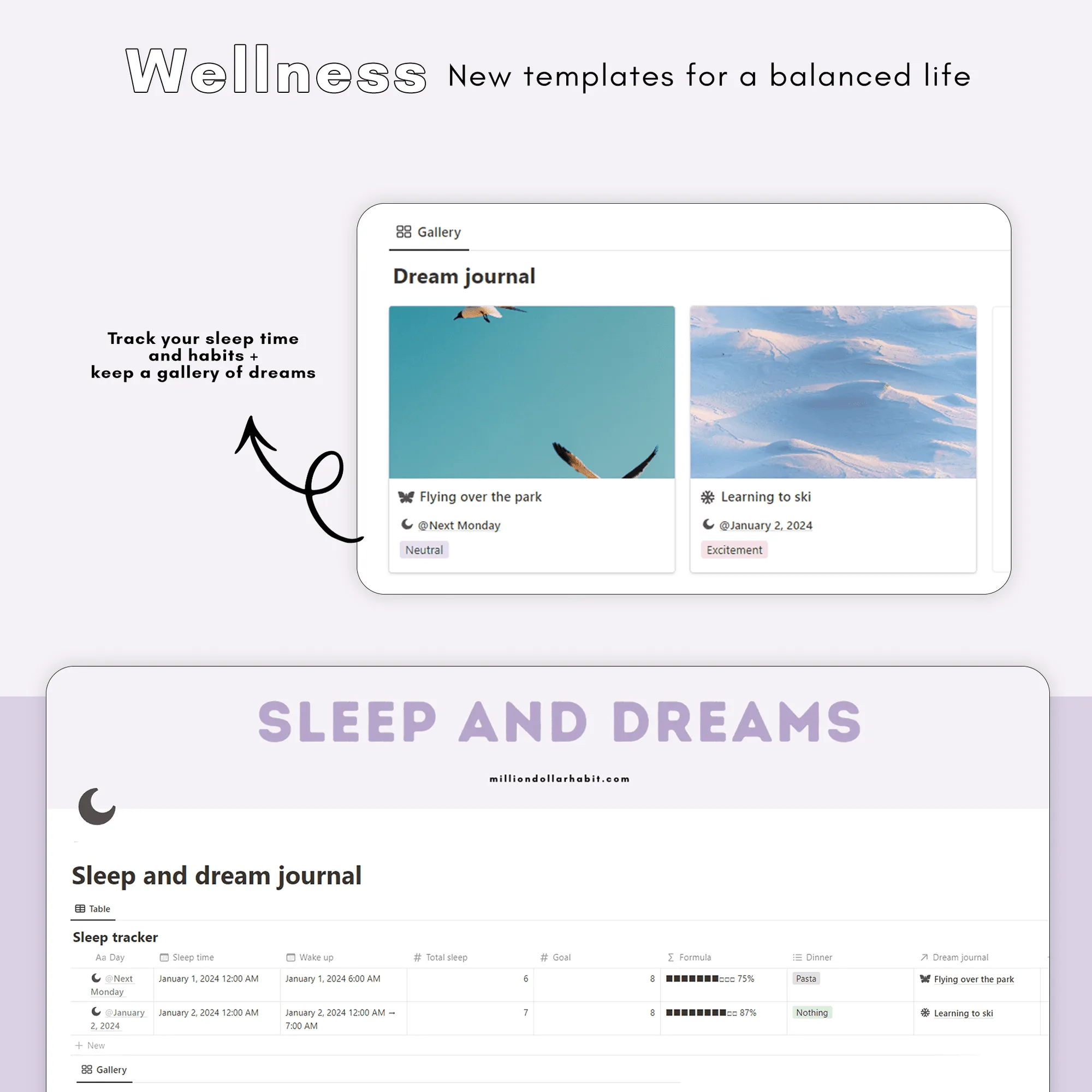
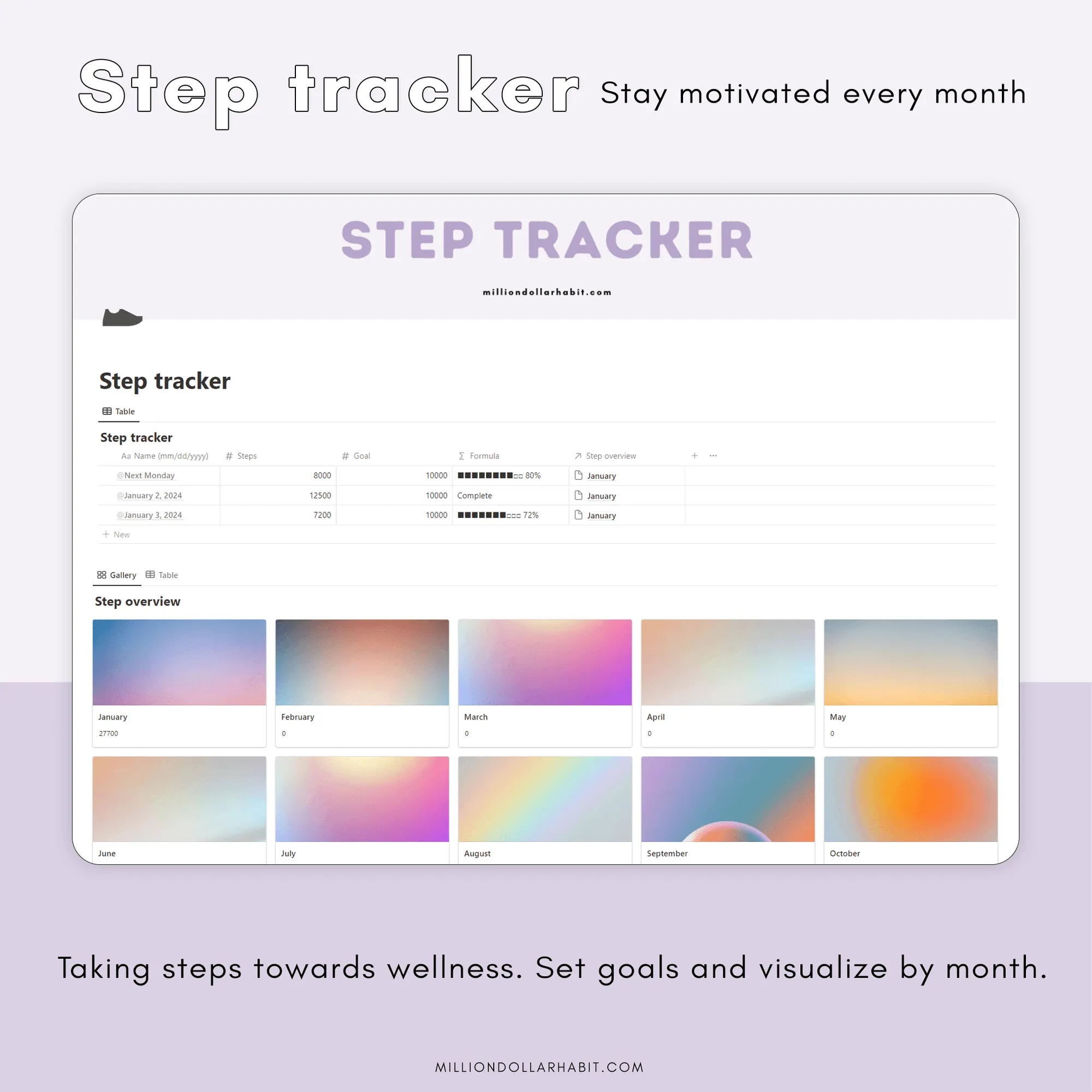
Workouts, meal planning, sleep & dreams, mood, gratitude, steps, hydration, cycle, supplements and a mindfulness log.
Money & admin
Account balances, expenses, income, savings, subscriptions and a no-spend tracker, plus birthday, event & holiday trackers.
Fun & feel-good
Vision board, bucket list, In/Out list, 2026 bingo, self-care menu and a memory jar.
Beginner-friendly, runs on the free Notion plan, and every future update is free.
The details
Format
Notion template, runs on the free Notion plan
Works with
Desktop, iPad & phone
Includes
Planning, habits, wellness, money and library pages, lifetime updates
Delivery
A link after purchase, duplicated into your Notion
Not for
GoodNotes or other PDF planner apps
Just landed
New in 3.0
Free for every owner — here's everything that just dropped.
New wellness trackers
Hydration with a water bar, a cycle calendar, a supplements board and a meditation log.
Fun & feel-good page
Vision board, bucket list, In/Out list, 2026 bingo, self-care menu and a memory jar.
Journal upgrade
Color-coded moods, calendar and by-mood views, back-datable entries and weekly reviews with a rating.
Up and running in 3 steps
Duplicate — Open the link and duplicate it into your Notion.
Set up — Follow the quick guide and pre-filled examples.
Customize — Make it yours — runs on the free Notion plan.
Free gift
Free this week: an aesthetic Notion widget with every order
Embeds right into your dashboard and shows a fresh, calming affirmation every day — in a background color you choose. Yours free with the Life Dashboard this week.
These are Notion templates, not PDF planners. They live entirely inside Notion and use databases, properties, views, and automations that are native to the app.
Is this suitable for beginners?
Yes. These Notion templates are designed to be beginner-friendly, with clear structure and intuitive layouts, no advanced Notion knowledge required.
Is this compatible with GoodNotes or iPad PDF planners?
No. Notion templates are not compatible with GoodNotes or other PDF-based planner apps. If you’re looking for an iPad planner, check out the GoodNotes planners instead.
How do I add the template to my Notion account?
After purchase, you’ll receive a link:
Open the link in Notion
Click “Duplicate” in the top-right corner
Choose the workspace where you want to use it
The template will be added instantly.
Are there multiple versions coming?
Yes. New Notion templates, layouts, and updated versions are released regularly. Subscribers will be the first to know when new versions or expansions go live.
Do I need Notion Pro or a paid plan?
No. Most Notion templates work perfectly on the free Notion plan. If a feature requires a paid plan (like advanced automations), it will always be clearly stated.
Can I use Notion templates on iPad and mobile?
Yes. Notion templates work on:
Desktop (Mac & Windows)
iPad
iPhone
Android devices
For the best experience, we recommend using Notion on desktop or iPad.
What are Notion templates?
Notion templates are pre-built pages and dashboards designed to help you plan, organize, and track different areas of your life or business inside Notion. They save you time by giving you a ready-to-use structure you can customize.